Blog Title Indentation

Hello,

I’ve searched through the forums and tried various options, and nothing is working. How can I remove the indentation from our blog? http://sandbox.zivelo.com/blog/

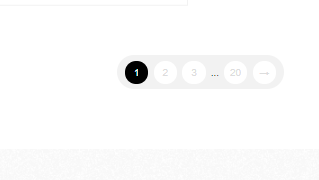
Also, do you know to edit the links in the bottom of the page? I would like the subsequent page numbers to be darker:
Thank you!

Hi Mary,

Thanks for reaching out.

The indentions are due to hidden icons, not actually hidden but with the color white. It’s automatic for renew stack so the only solution would be hiding it through CSS. Please add this to your global custom CSS.

.entry-title:before {
display: none !important;
}

As for pagination, please add this CSS as well

.x-pagination span:not(.current) {
    color: #000;
}

Thanks!

This first code worked, thank you for that!

The second code didn’t have any effect. Is there something else I can try?

Hello Mary,

Thanks for updating the thread.

Please try adding following CSS under Pro > Theme Options > CSS:

.x-pagination a {
    color: #000;
}

1- I have found the proper CSS code selector using the Chrome browser Developer Toolbar: https://www.youtube.com/watch?v=wcFnnxfA70g

2- For the CSS code itself, I suggest that you get started with this tutorial: https://www.youtube.com/watch?v=yfoY53QXEnI

Thanks.

Perfect, thank you!

You are most welcome. :slight_smile:

This topic was automatically closed 10 days after the last reply. New replies are no longer allowed.