Blog Template - Issues with Sidebar

Hi,

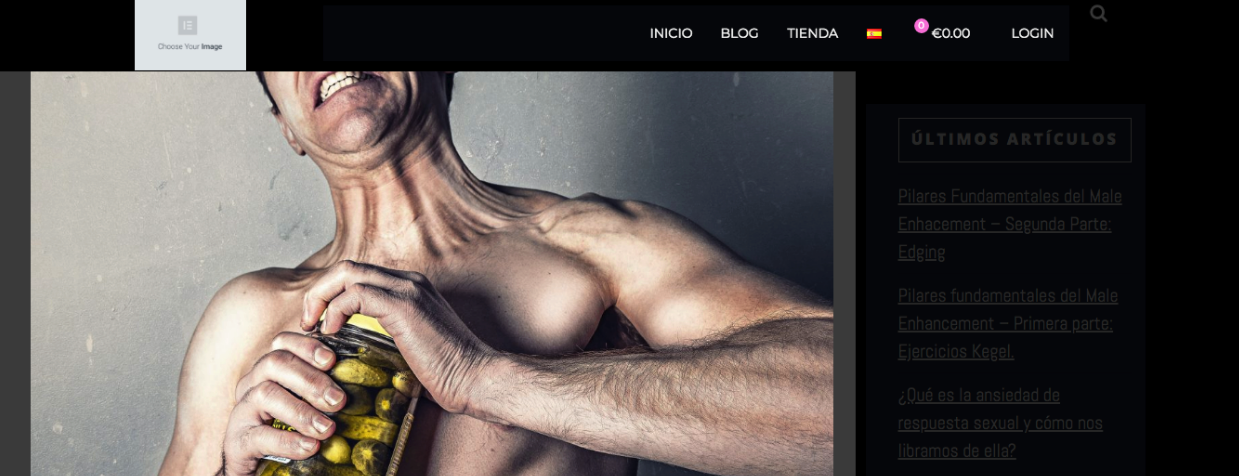
I´m having problems with my sidebar. For some reason it looks terrible now and it has lost the format it previously had.
Please check my blog posts here https://maleoptimization.com/blog/

I would like to know how to solve and also what can I do to change the content of my sidebar. I would like it to display related posts, social media buttons to share the content and eventually some banners. Is that possible?

Thanks a lot,
Carlos
Hi Carlos,

Thanks for writing in!

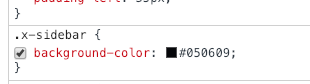
I am not sure how was the sidebar before. Now I can see the background is black, which is due to a custom CSS.

and the formatting is as expected. To change the content you have to change the widgets of the sidebar.

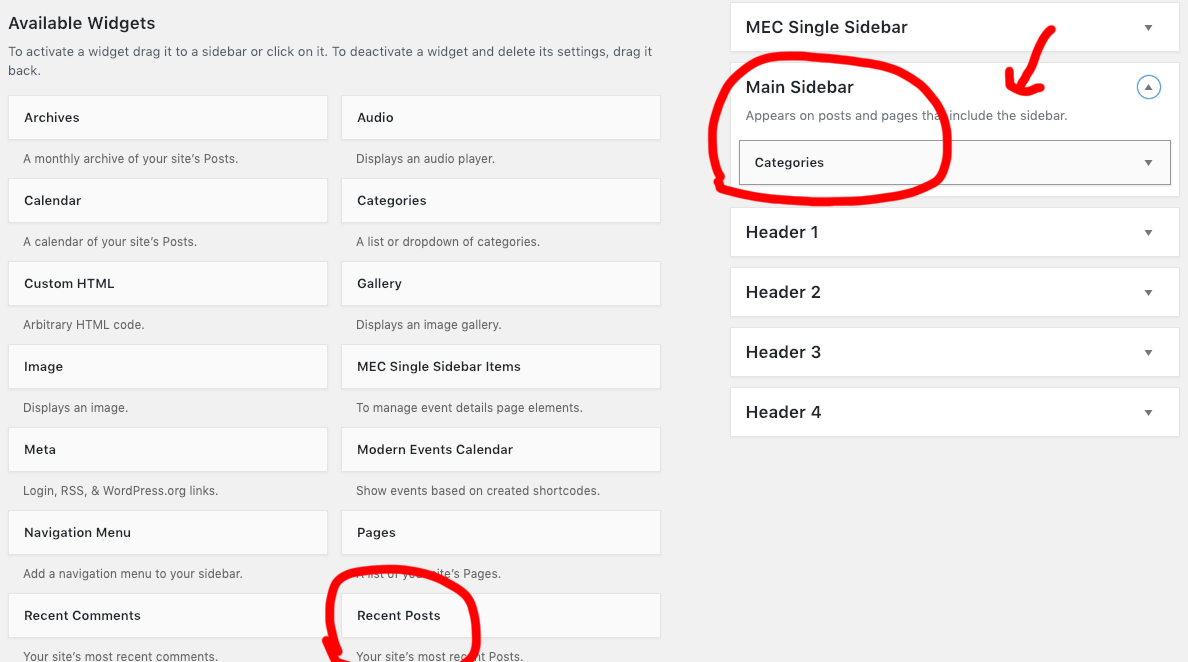
Please go to Appearance -> Widgets and you can add any widgets to the main sidebar.

Regarding social sharing, you have to look for third-party plugins, there is no such option the theme.
Regarding image banner, you can use Image widget to add an image to the sidebar.

Hope this helps!

Hi,

How is the formatting as expected here? Please check https://maleoptimization.com/2019/01/20/pilares-fundamentales-del-male-enhacement-edging/
The sidebar is out of place, there´s grey space to the right of the sidebar, the content is not centered in the sidebar… I need a solution to make the sidebar look as it should.

Thanks,
Carlos

Hello Carlos,

Please add these codes in the Global CSS:

.single-post .x-container>.offset {
    margin-top: 0;
}

.single-post .x-sidebar.right {
    padding: 35px;
}

Hope this helps.

That didn´t work, please provide a fix, the format was looking ok until a few days ago.

Hello Carlos,

The code given by @Jade will only take effect for the single posts. It does not resolve the blog index. I went ahead ang check your blog index and I could see that you are using Elementor’s page template. Elementor plugin has completely taken over the layout of the page. It also does not display the default sidebar of theme. Please change the page template and use the default page template instead.

Please let us know how it goes.

Hi @RueNel,

I know that, check https://maleoptimization.com/2019/01/17/siete-maneras-de-elevar-tus-niveles-de-testosterona-de-forma-natural/ and again, you´ll see what I´m talking about. Please take the time to read the comments throughly and check the links I´m providing, as I´m spending a lot of valuable time trying to fix this issues.

Thanks,
Carlos

Hi Carlos,

It has the correct format, the only thing that makes it not well formatted are the background colors that are applied. You can compare it here http://demo.theme.co/ethos-1/the-new-status-symbol/ from our demo and the layout format is the same, but with different backgrounds due to your customization.

But I think I understand what you wish to do, and it’s to fix the customization you have added since there is no issue with the layout. If it’s just about the sidebar spacing, then please add this along with your custom CSS

@media ( min-width: 980px ) {
.x-sidebar {
    padding: 15px;
    margin-left: 35px;
    width: calc(28% - 35px);
}
}

Hope this helps.

Hi,

Thanks, that worked, but not completely.

  • Now I need the right bar to be all the way to the right, as you can see now there is a grey space to the right of the sidebar.
  • Also, you´ll see the backhground of the content has some areas in white, again I don´t know why this is happening as it used to be ok.

I have another question, all this things that I´m trying to fix now used to be ok, I don´t know why did I loose the format I had.
Is it possible to reset the whole theme to default? Then I would add the CSS lines that I´m using right now. I think that would be much faster and easier for me to make my blog posts look as I want them to.

Thanks,
Carlos

Hello Carlos,

To fix the background colors and your sidebar, please add the following CSS code in the X > Theme Options > Global CSS (http://prntscr.com/evui3r)

.x-content-sidebar-active .x-container.main:before  {
    background-color: black;
    right: auto;
    left: 74%;
}

Hope this helps.

Hi,

Please find attached and really pay attention to the comments in the screenshot attached down below:
https://imagebin.ca/v/4Vjs5I6fLBaI

Please provide a solution in order for my blog posts to display correctly, it is taking a ridiculous ammount of time to make something that´s so simple work. Please consider the following suggestion, that I already asked in the last comment but didn´t get an answer:

  • All this things that I´m trying to fix now used to display correctly, I don´t know why did I loose the format I had. Is it possible to reset the whole theme to default? Then I would add the CSS lines that I´m using right now. I think that would be much faster and easier for me to make my blog posts look as I want them to.

Thanks,
Carlos

Hi Carlos,

Please also add this custom CSS:

.single-post .x-main.left .hentry .entry-featured {
    margin: 0 !important;
}

.single-post .x-container.max.width.main {
    max-width: 100%;
    width: 100%;
}

.single-post .x-main {
    padding-left: 35px;
}

Let us know how it goes!

1 Like

Hi @thai:

That´s what I needed. Thank you so much.

Have a good day,
Carlos

You’re most welcome.

This topic was automatically closed 10 days after the last reply. New replies are no longer allowed.