Blog Style

Hi,

This is my blog https://flexcin.com/blog
I am looking to have it look like this https://www.cottageindustriesinc.com/blog

Not sure how this is done? Went into blog theme settings, don’t see how to have text overlay and look like https://www.cottageindustriesinc.com/blog

Thank You for helping
Hi Flexcin,

Thanks for writing in! Different X theme stacks offers slightly different options and features which you can see example blog pages from here (https://theme.co/x/demos/).

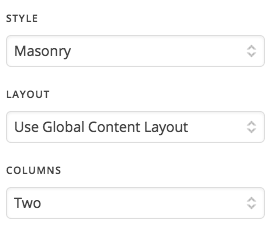
So the basic options you have is under X -> Theme Options -> Blog area, to control masonry and it’s columns.

If you have a specific blog layout in mind, you may contact a developer or a service to change it accordingly.

Thanks!

This topic was automatically closed 10 days after the last reply. New replies are no longer allowed.