Hello first off you guys are awesome.
Secondly on my blog posts page all the posts come out showing as 1 big paragraph no matter how I extend the post preview.
Hi There,
Would you like to reduce the space between the blog posts?
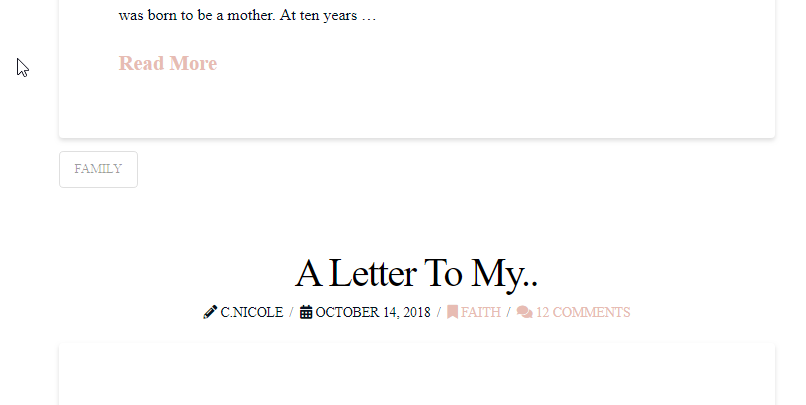
Please try adding this custom CSS under Theme Options > CSS:
.blog .hentry {
     margin-top: 15px;
}
Hope it helps 
No im sorry let me clarify I want the post preview to show the different paragraphs in the post not just 1 big Paragraph.
https://screenshots.firefox.com/41NpzDzyKpBYJ4pa/anariel.premiumcoding.com
Hi Nichlas,
You mean the quote or testimonial? Or the font size? For the quote and if you’re in the builder, you can simply use quote element and change its font styling.
You can also use shortcodes like from here http://demo.theme.co/integrity-1/shortcodes/blockquote/ and http://demo.theme.co/integrity-1/shortcodes/pullquote/
Thanks!
Ok thanks for dealing with me not clarifying enough I mean the post previews on the screenshot keep the original posts separate paragraphs and format.
https://screenshots.firefox.com/wJPCuOgpd9QDT8Or/anariel.premiumcoding.com
I circled 2 posts on this screenshot for clarity.
I also screenshot my site and circled what I mean by 1 big paragraph.
https://screenshots.firefox.com/UgGA8KlEulgppRCB/chelsnicole.com
Thanks guys
Hello @DGRFounder,
To display several paragraph in your blog index or archive, please do this:
-
Please edit each of your post and insert a more tag directly into the post content. If there is no more tag, full content will be displayed.
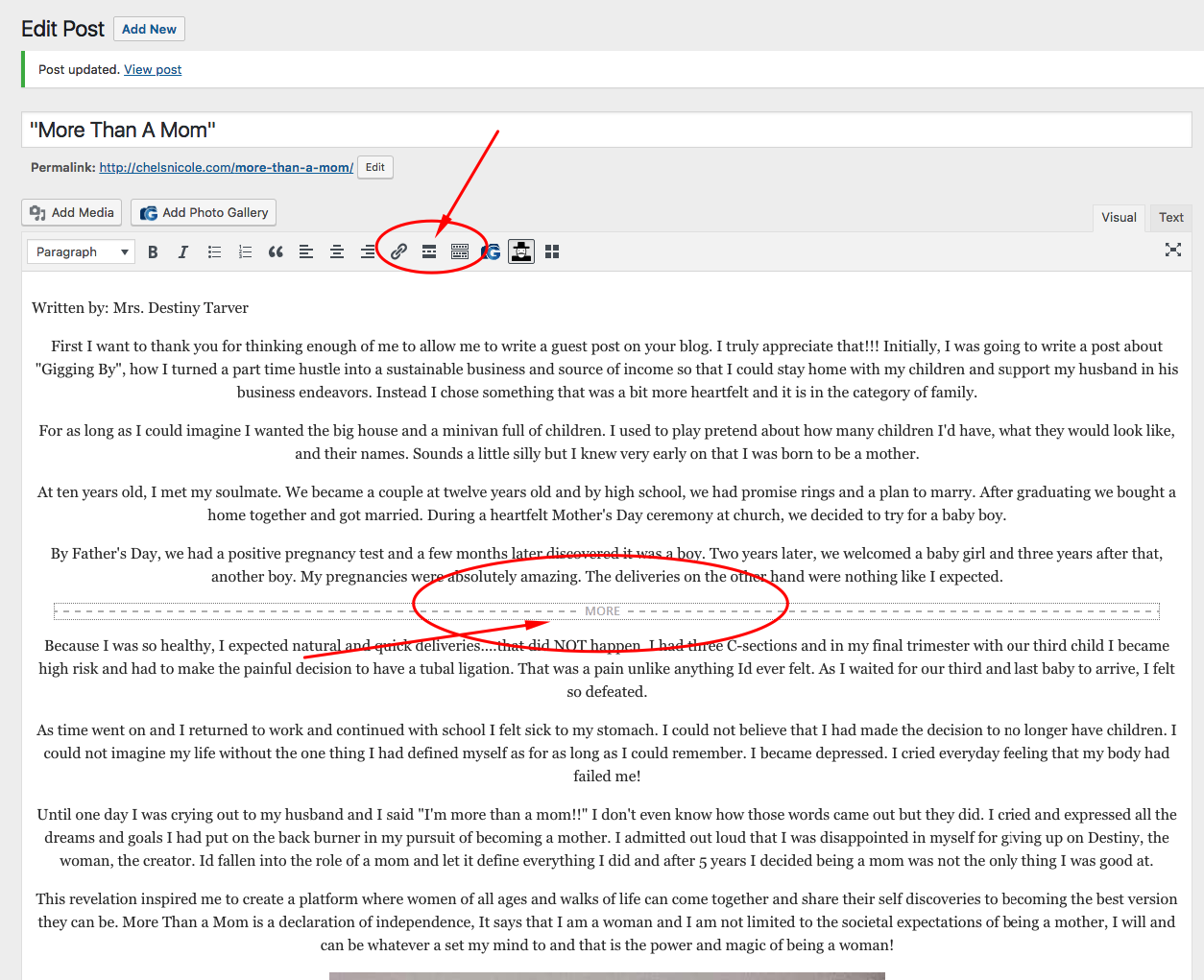
-
Go to X > Theme Options > Blog > Content and enable the “Full Post Content on Index”.
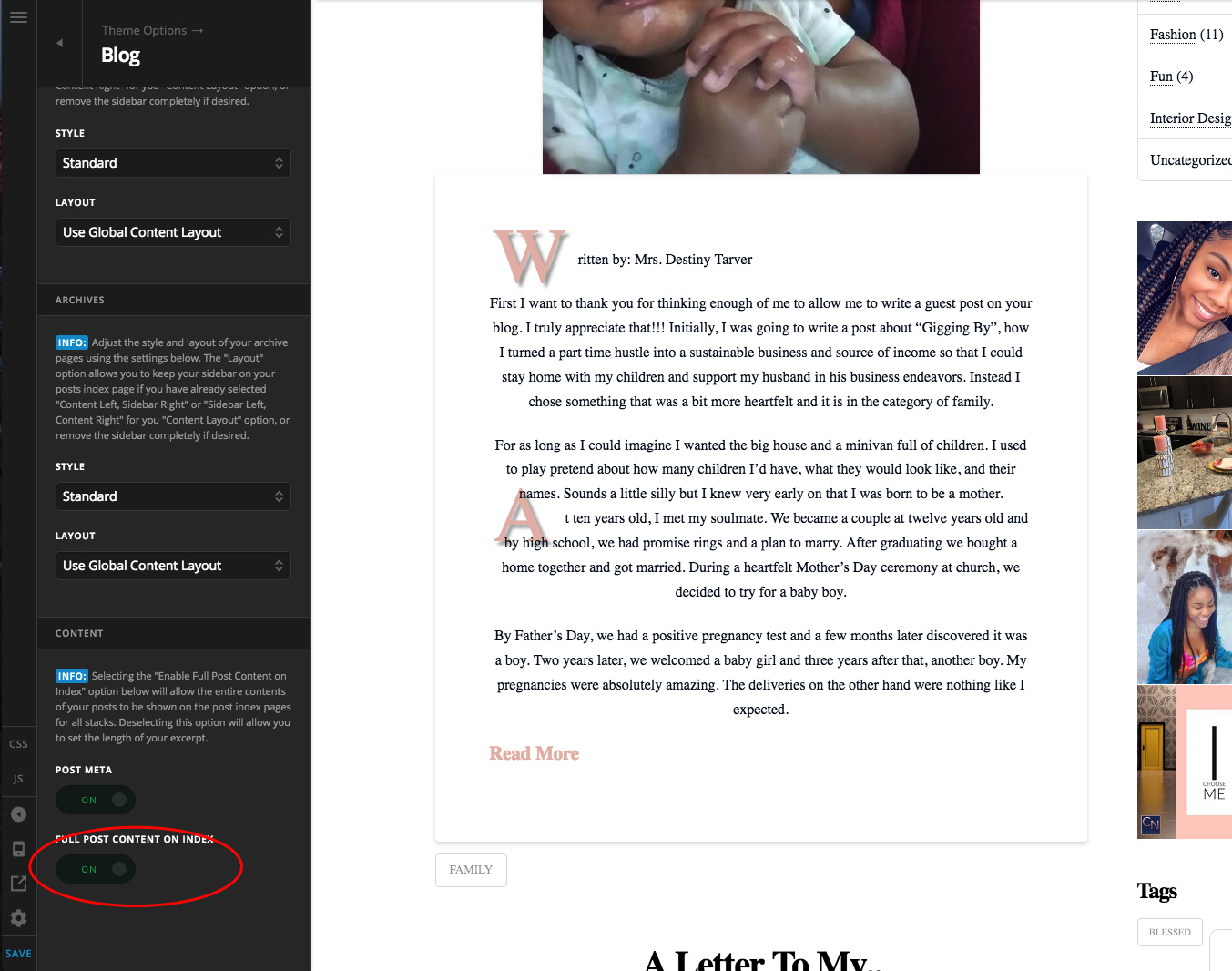
Please let us know if this works out for you.
i just want to say you guys are fantastic than k you.
Glad we were able to help
This topic was automatically closed 10 days after the last reply. New replies are no longer allowed.