See here https://www.logoglo.com/graphic-design/youtube-new-logo/ (just an example, but all of the blog posts are doing it…
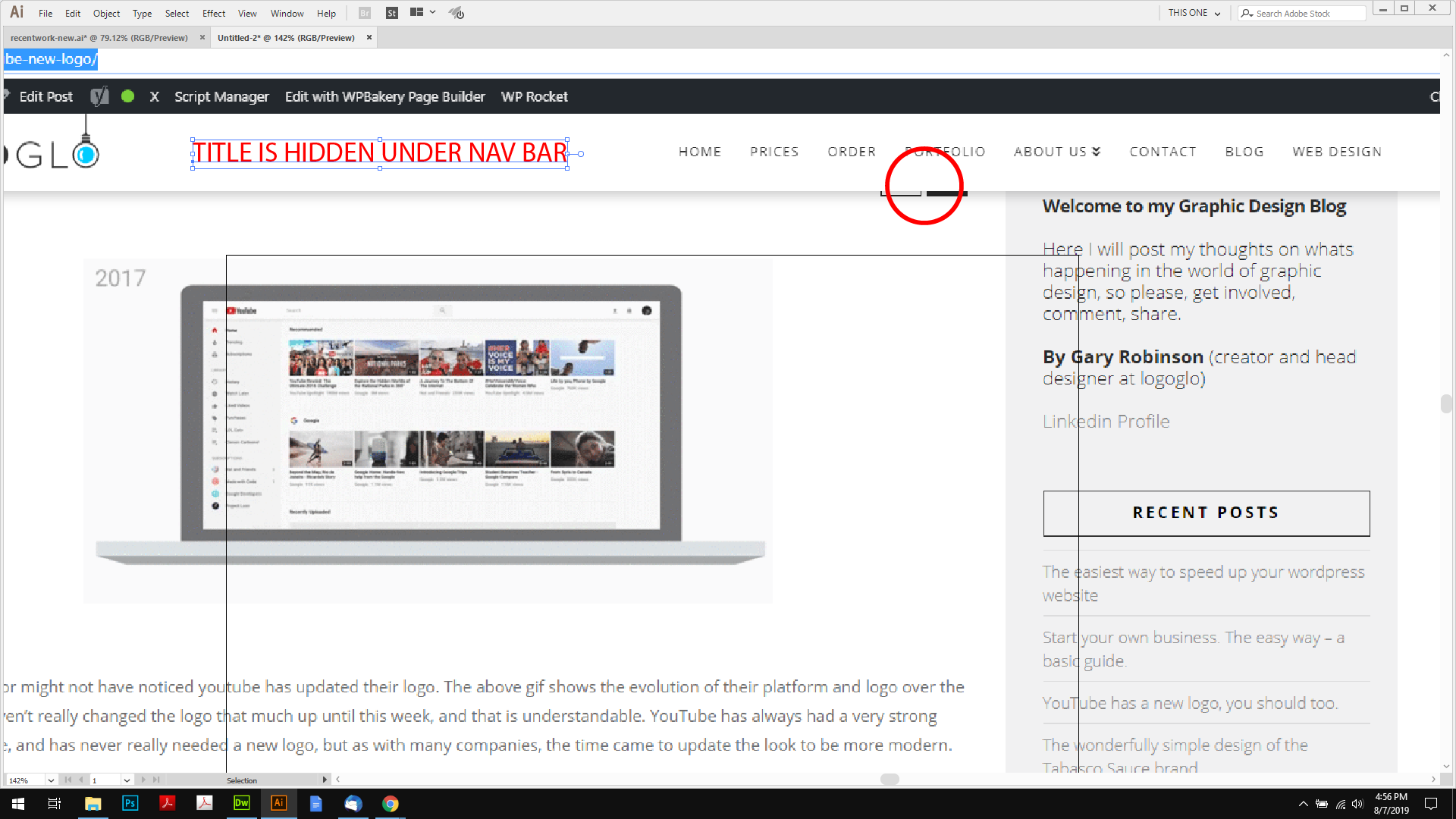
Thanks.
See here https://www.logoglo.com/graphic-design/youtube-new-logo/ (just an example, but all of the blog posts are doing it…
Thanks.
Hi @logoglo,
Try adding this custom CSS:
.single-post .masthead.masthead {
    height: 70px; /*70 is your navigation bar height*/
}
Hope this helps.
Perfect! thanks for you help. How do I apply the same to JUST these pages?
Thanks.
Hello @logoglo,
Thanks for updating the thread.
Please update the code with following under X > Theme Options > CSS:
.blog .masthead.masthead, .page-id-6694 .masthead.masthead{height: 70px;}
1- I have found the proper CSS code selector using the Chrome browser Developer Toolbar: https://www.youtube.com/watch?v=wcFnnxfA70g
2- For the CSS code itself, I suggest that you get started with this tutorial: https://www.youtube.com/watch?v=yfoY53QXEnI
Thanks.
Thanks! yeah, I know how to change css, i just didn’t know how to apply it those specific pages
You are most welcome. 
This topic was automatically closed 10 days after the last reply. New replies are no longer allowed.