Why are my blog post pages missing at the bottom - please help
Hi there,
Please check the settings in Settings > Reading > Blog pages show at most and set the number of post you want each page of the blog post to contain. This should activate the pagination if you have more post than the set number in the option mentioned.
Hope this helps.
How do I activate pagination?
Hey,
To activate the pagination you’ll need to have more posts than the number in the blog per page in the Settings > Reading
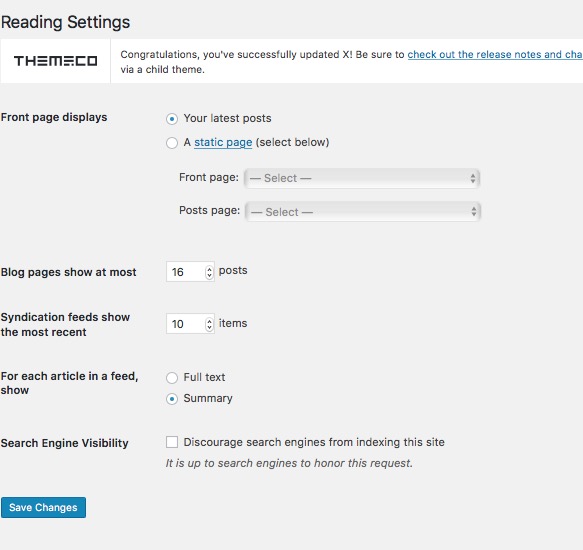
i do not see where/what to change
Hi There,
Sorry for the confusion. For example if you have 10 blog posts and if you set 16 posts to show as your screenshot, you won’t get any pagination. Try reducing it below your total post count and then you will see pagination.
Hope that’s clear.
It is still not working
Sorry for the confusion again. Ethos’ Filterable Index feature does not have pagination. You need to disable it to display the regular blog listings with pagination. This is because the Filterable Index was designed to highlight specific categories as you can see in our Ethos 1 demo http://demo.theme.co/ethos-1/. At the bottom of the list of posts, it shows a link to the category archive page and in the archive page, the pagination is available.
Thanks.