Blog post layout question

Hi there, is there a way to make the container background full width, like the rest of the site, and up underneath the menu bar, but keep the rest looking the same?

http://entrecoach.kinsta.com/test-post/

so make it look like this:
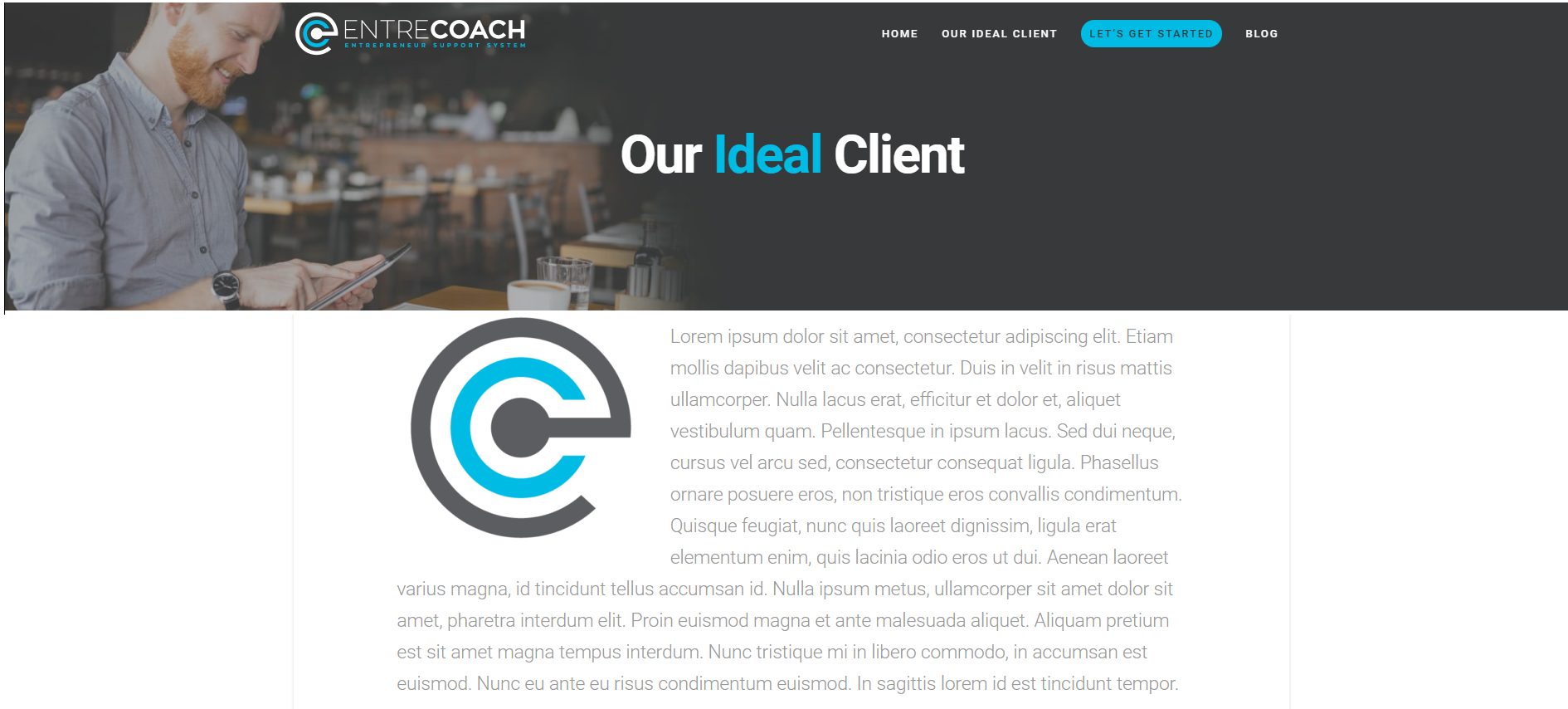
I guess I would want the post title to disappear too, and I manually put it in, in the 1st container.

Thanks.

Hi There,

Thank you for writing in, please add this to Theme Options > CSS

.single-post .x-container.offset {
	margin-top: 0;
	max-width: none;
	width: 100%;
}
.single-post .x-container.offset .entry-wrap {
	padding: 0;
}
.single-post .x-container.offset .entry-wrap .entry-header {
	display: none;
}
.single-post .x-container.offset .entry-wrap .entry-content.content {
	margin-top: 0;
}
.single-post .x-comments-area {
	width: 90%;
	max-width: 1200px;
	margin-left: auto;
	margin-right: auto;
}

Hope it helps,
Cheers!

Wohooo!! worked perfectly! Thanks.

Hi @logoglo,

Happy to hear that.

Feel free to ask us again.

Thanks. :slight_smile:

This topic was automatically closed 10 days after the last reply. New replies are no longer allowed.