Hi,
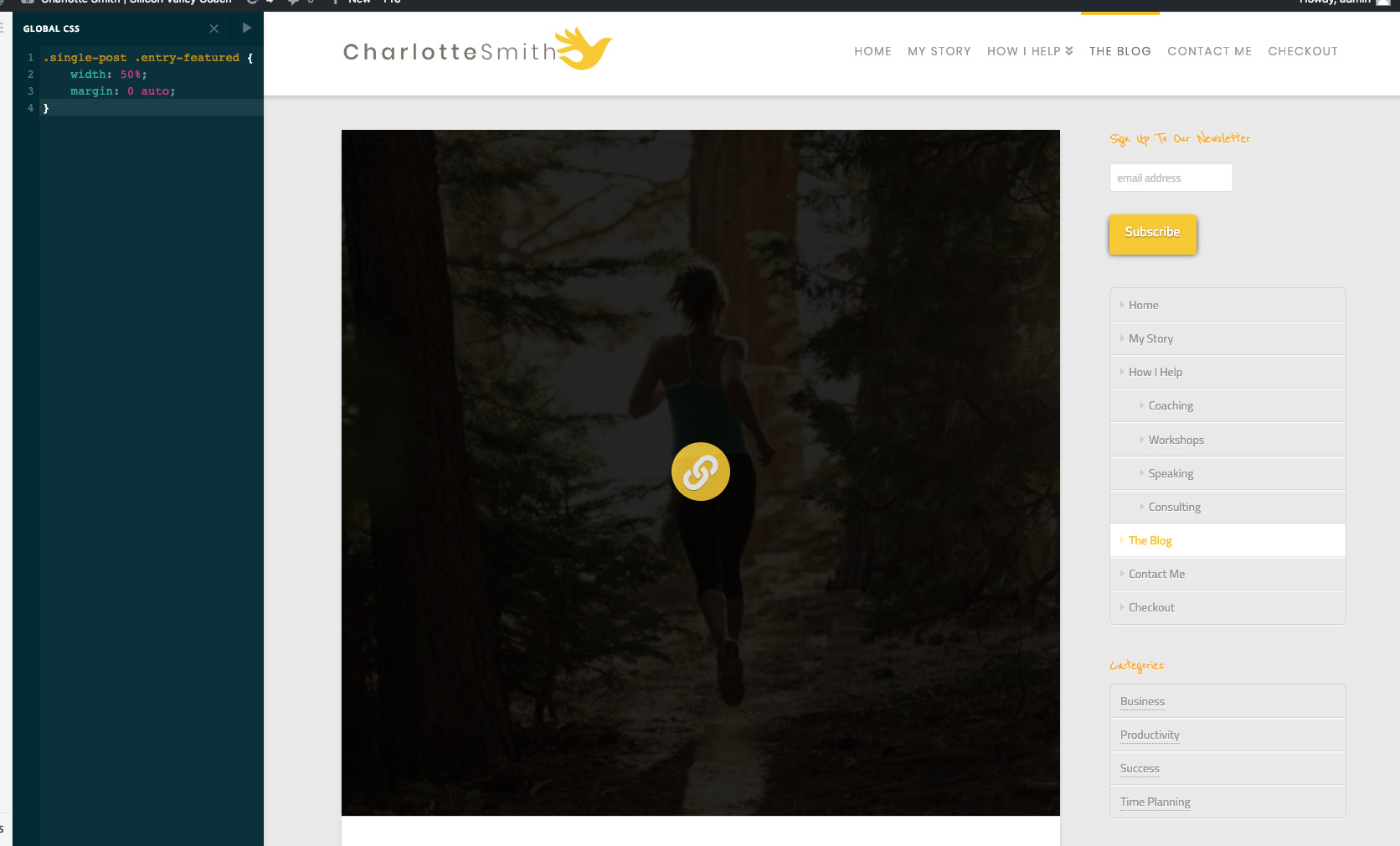
I am trying to get the blog post image to not display so large.
I added this to the CSS
Nothing happened. What am I doing wrong.
.single-post .entry-featured {
width: 50%;
margin: 0 auto;
}
Hi,
I am trying to get the blog post image to not display so large.
I added this to the CSS
Nothing happened. What am I doing wrong.
.single-post .entry-featured {
width: 50%;
margin: 0 auto;
}
Hi there,
Please try:
.blog .entry-featured {
    width: 50%;
    margin: 0 auto;
}
Hope this helps.
This changes the image size, but not the white box with the blog title underneath. Any ideas?
Hii @paleopolly,
You can display the posts horizontally instead of vertical alignment (see screenshot)
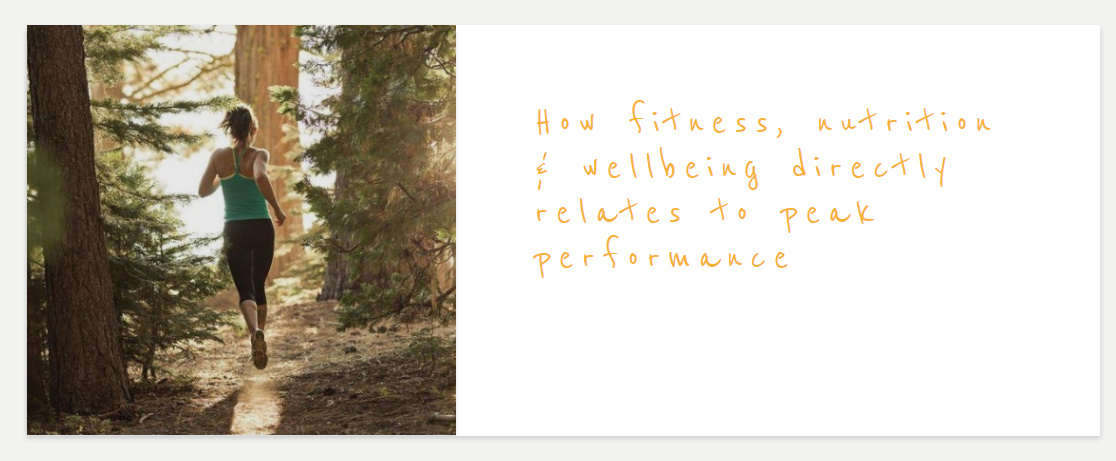
To do this, replace the following code with the following one:
.blog .entry-featured {
    width: 40% !important;
    margin: 0 auto;
    display: inline-block;
    vertical-align: top
}

.blog .entry-wrap {
    width: 59% !important;
    margin: 0 auto;
    display: inline-block;
    box-shadow: none
}

.blog article {
    background: #fff;
    box-shadow: 0 0.15em 0.35em 0 rgba(0,0,0,0.135);
}
Don’t forget to clear all caches including your browser’s cache after adding the code. Let us know how this goes!
This topic was automatically closed 10 days after the last reply. New replies are no longer allowed.