I am using the X Pro theme. Stack: Ethos
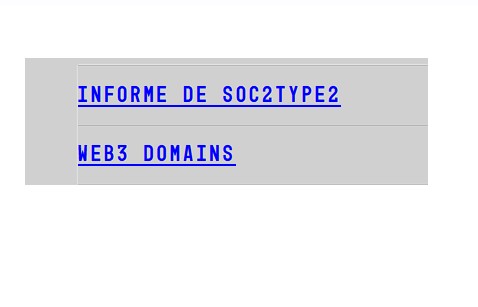
On the Blog page for the widget of Latest Post I see like border or something for each item on the list.
Please help or advice on how to remove this.
Thank you!
I am using the X Pro theme. Stack: Ethos
On the Blog page for the widget of Latest Post I see like border or something for each item on the list.
Please help or advice on how to remove this.
Thank you!
Hello @afuego,
Thanks for writing to us.
In case you want to remove the underline from the post title then you can add this CSS code under Theme Option —>CSS
.x-sidebar ul.wp-block-latest-posts li a {
    text-decoration: none;
}
If you want to remove the border from the post title you can use this custom CSS code.
.x-sidebar ul.wp-block-latest-posts li:last-child {
border-bottom: 0px;
}
.x-sidebar ul.wp-block-latest-posts li {
border-top: 0;
}
The purpose of providing custom CSS is to show you how to add CSS code to your site. Writing custom CSS is outside the scope of our theme support. If you need more customization, you need to learn CSS and learn how to use the browser’s element inspector.In case if you have no idea about coding you can subscribe to One where customization questions are answered.
Hope it helps.
Thanks
Thank you so much for your quick response, I make the changes and that didn’t removed the box around the unordered list. I’m not sure why the Stack Ethos and Renew has this problem, if I change the background color to white looks decent. I can’t identify which element has the left and top border around the Latest post.
Please advice, thank you!

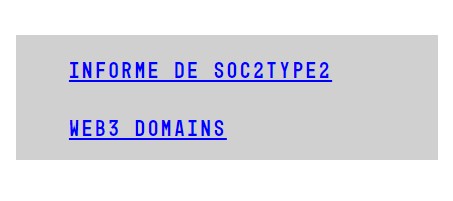
I was able to fix it with this…
body .x-sidebar.right .widget ul, body .x-sidebar.right .widget ol {
-moz-box-shadow: 0 0 1px rgba(255,255,255,0.95);
-webkit-box-shadow: 0 0 1px rgb(255 255 255 / 95%);
box-shadow: 0 0 0px rgb(255 255 255 / 95%);
}
Thank you for your help!
This topic was automatically closed 10 days after the last reply. New replies are no longer allowed.