Blog and archivies pages customization

Hi there,
I would like to customize blog and archivies pages.

I’m using Ethos stack with the standard layout.

I would like to use a masonry layout but in a different way from the original one.
I would like to have the image of the post, then below the title, the date and the excerpt.

I’m looking for a similar result:
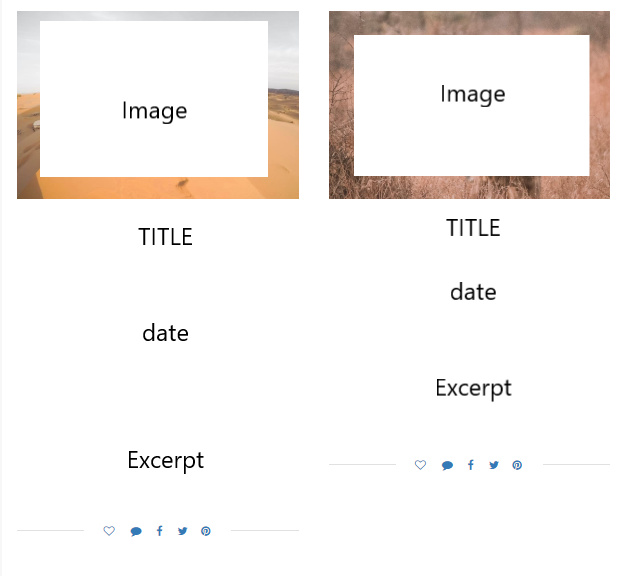
Thank you so much!!

Hi Luigi,

Those designs are possible with customization but that would be outside the scope of our support.

There’s an alternative though. You can use THE GRID or ESSENTIAL GRID. These two bundled plugins have skin editor. Sample skins available are almost similar to what you shared above. Then it is easy to customize using the skin editor.

For essential grid editor, you can watch this youtube video
For the grid skin builder, you can watch this youtube video instead.

Hope this helps.

Thank you for your help!!

In order to use essential grid, do I have to create a new page that would be the blog page, in which I will insert the grid with the recent post? If I set a new page as blog page I think will not be possible any more to edit with cornerstone

What about the categories pages (archivies pages)? I can’t do anything for that pages?

You say “Those designs are possible with customization but that would be outside the scope of our support.” Do you mean that I have to set up a child theme and edit the theme?

Thank you again!

Hey Luigi,

Yes you need to create a new page and insert either the Classic Essential Grid element or the Essential Grid shortcode, do not set the newly created page as a blog page because if you do, the page won’t be editable in Cornerstone. using this solution you won’t have the archive pages.

That’s correct you need to setup the child theme and edit the files in the child theme because customizing blog and archives pages would require editing the theme files and the child theme will make sure that your changes won’t get overwritten when the theme is updated. X is quite extensible with child themes, so there are plenty of possibilities.

Thanks for understanding. Take care!

Hi, thanks for your help.

Unfortunately editing the theme files goes beyond my skills, do you know where can I find some examples codes or something that can help me? For what I know it isn’t a huge edit, in those cases what I should do?

Thanks!!!

Hello Luigi,

You will need to thing to get this done.

  • You will need to create your own Grid skin
  • Integrate the Grid the your child theme

Just to manage your expectations, this isn’t specifically a theme issue, but rather, your customisation of it. So whilst I have happily provided you with some guidance above on how to get it working, we cannot provide theme customisation as a general rule, or support custom code solutions provided.

Perhaps these links may help you:

Best Regards.

ok I understand! Thank you so much!

You are most welcome!

This topic was automatically closed 10 days after the last reply. New replies are no longer allowed.