Block Grid - Title hover on chrome not displaying correctly

Hi, I have a block grid of five images, which displays fine but when hovering over the image it’s meant to show a title in a caption.

I have attached an image to explain what I mean, the top image shows fine in IEdge but with Chrome as you can see the arrow down icon is sitting in the middle of the box.
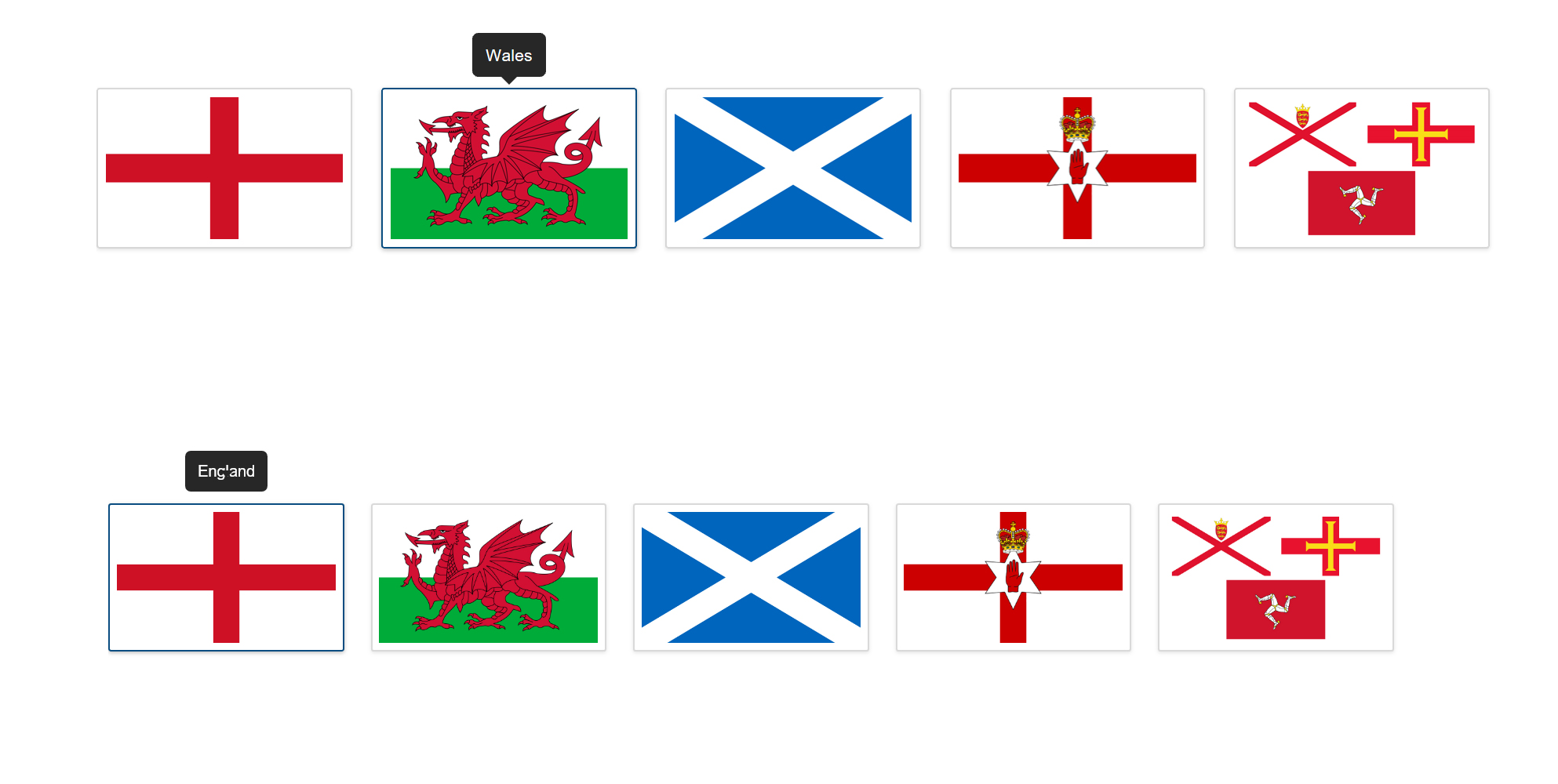
I have cleared my custom CSS code and so I know that’s not conflicting.

I will send the link for that exact page in the secure note.

Just a quick note about your editor, with the custom code CSS editor. I cant seem to ‘select all’ / Copy any more. I have to manually scroll down to select and copy. Is there a workaround?

Thanks, Ashley.

Hello There,

Thanks for writing in and for providing the credentials. I have logged in and checked the page in Chrome. I could not replicate the issue on my end. This is how I see the page in my Chrome browser:

Please clear your browser cache or use private browsing mode (Incognito mode) and test the page again.

By the way, I can see that you are using an older version of the theme and Cornerstone plugin. Could you please update to the latest versions?
Our latest versions are:
- X theme 6.1.5
- Cornerstone 3.1.5

This latest release contains fixes for several issues so be sure to check out the changelog (http://theme.co/changelog/).

_After doing the updates, always remember to clear all caches (if you are using WP Rocket, WP SuperCache or W3 Total Cache) when updating so that the code from the latest release is always in use. This will help you to avoid any potential errors.-

Please let us know how it goes.

This topic was automatically closed 10 days after the last reply. New replies are no longer allowed.