Hey, my site is sleeksupply.com and I can’t seem to figure out how to get rid of a blank space below my header. It is especially annoying on the sleeksupply.com/shop page.
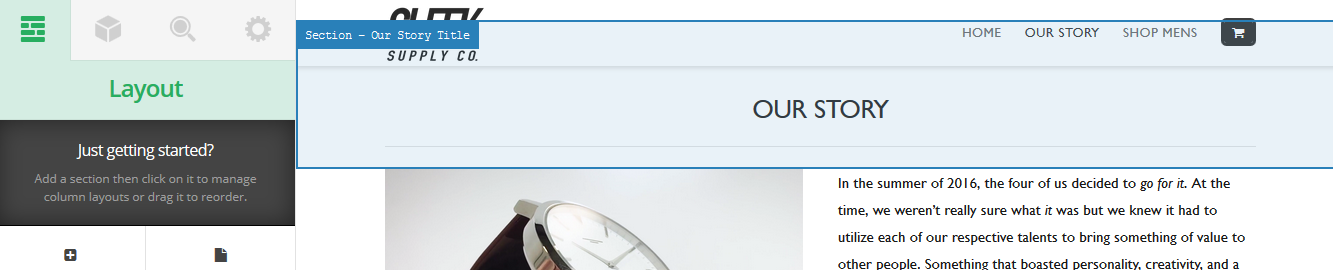
Take a look at this image of what happens when i hover over the top section. You can see that it goes underneath it for some reason. This only happens on the “Large” and “Extra Large” display settings though.
Hopefully we can get this figured out  Cheers!