Hi
I can’t for the life of me get the title closer to the content of the page - the start of which should line up with the sidebar.
Please can you help. It is an x site, not a pro site.
Hey @lisacole1,
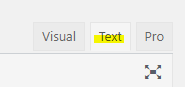
The first thing to do for your case is to add the mtn class to your H2. If you are not using the Text editor of WordPress, you need to switch to it first to be able to edit the HTML and add a class.
The mtn class is just one of the many Helper Classes in our themes. You can see the full list of Helper Classes here: https://theme.co/docs/css-helper-classes

Before I provide the next step, please note that the Ethos title area should be colored like the following screenshot. I’d strongly recommend that you consider following the Ethos stack design to avoid using custom CSS.
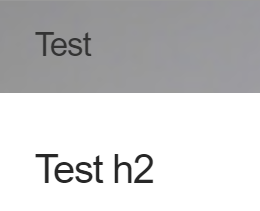
Because yours is white, it looks like the gap is huge. We understand the case though so we are building the Layout Builder which will allow users to create their own page layout without custom coding. Because that’s not currently available and this just requires a minor cosmetic change, I’ll provide an override CSS. Please add the code below in Theme Options > CSS.
Please just note that we will not support issues that might arise from using custom CSS. We’ll also not provide further enhancements so it would be best that you learn CSS and the use of the browser’s element inspector.
.x-container>.offset {
    margin: 0 auto 35px;
}
Hope that helps.
Thank you. I really am trying with the css, I just didn’t know where to start with this, despite trying to use console.
I have put a background colour on the navbar but it doesn’t make any difference to the way the headings work

I have tried adding padding 0 and margin 0 to the H1 and H2 elements.
I have tried this but it makes things worse
.x-container>.offset {
margin: 0 auto 25px;
padding: 0;
}
.x-header-landmark {
margin: 0 auto 45px;
padding: 0;
}
Hey Lisa,
I see you applied a global margin to the h2. That works. The other codes should work too but there could be an error in your other custom CSS that’s why other codes you added don’t work. We can’t investigate customizations as part of product support as custom codes often lead to complications. You can check for CSS errors using validation sites like http://csslint.net/.
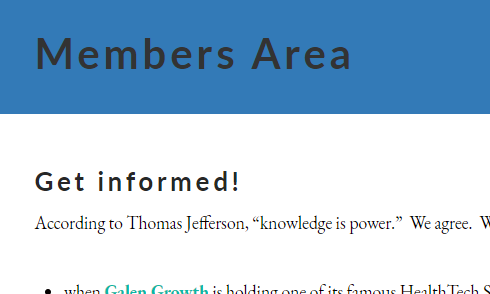
It’s not the Navbar that controls the background for the Header Landmark (title). Use the Background Options in Theme Options > Layout and Design. If you’re going to use a background, by the way, please remove the code I provided.
Thank you for understanding.
aha, that is really helpful, thank you so much. And that list of CSS is briliant!
You’re most welcome!
This topic was automatically closed 10 days after the last reply. New replies are no longer allowed.