Best practice for Custom CSS for typography

Hi guys,

I am currently setting up my first site in X Pro. What I would like to achieve is to make sitewide settings for the typography, so that whenever I create a page and insert headline or copy, the sitewide settings are inherited automatically.
So I do not want to have to format each element individually.

From my searches in the forum I gather, that this can only be achieved via custom CSS. Correct?

Could you please provide the best/correct CSS code to achieve this?
Would be a great help, not only for me but I am pretty sure that this could even be a good topic for the knowledge base.

I want to use the Google font Overpass for the site. Here are the specs:

Headlines: Overpass, ALL CAPS, weight: 600 semi-bold, color: 00629b, from h1 to h6 in sizes from big to smaller (say 20px font size) but adjusting automatically to smaller screen sizes to make it mobile friendly.

Body copy for content: Overpass, weight: 300, color: black.

Would be awesome if you could provide the necessary code and place to put this code and what I need to select for elements placed in cornerstone to use these settings.

Thanks a lot for your help!

Lutz
Hi There,

Thanks for writing in!
There is no need of custom css if you are using google font.
Please create your font and color template and use it where you want. It will maintain the constancy every where.
Just you need to use the font template there. Just needs to adjust the color and font size there.

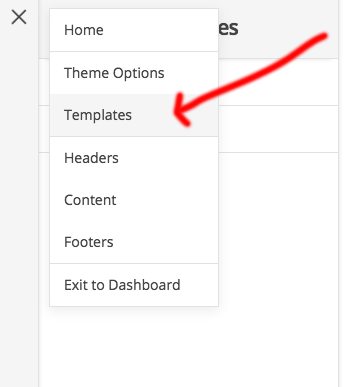
Click on template menu in the left corner of the editor.

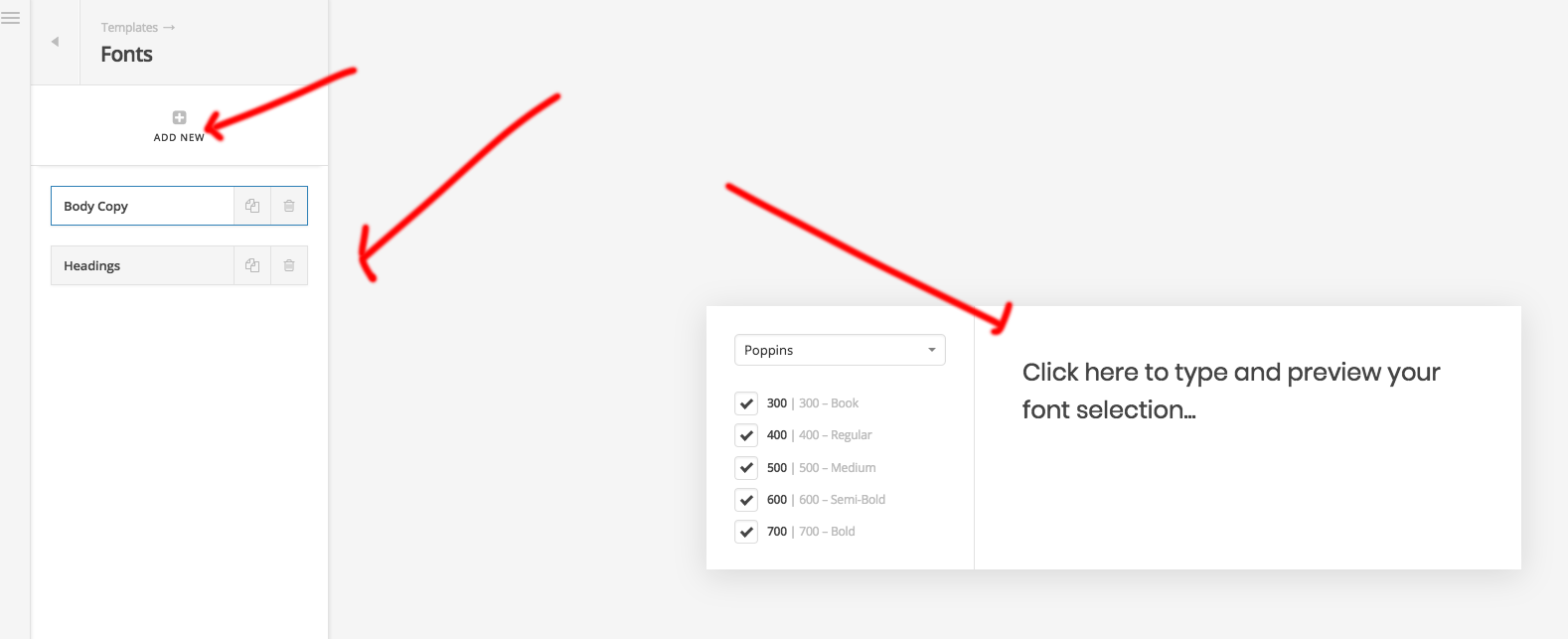
Then click on the font tab and choose your font and font weight there. You can create as much as template you want to use it various places.

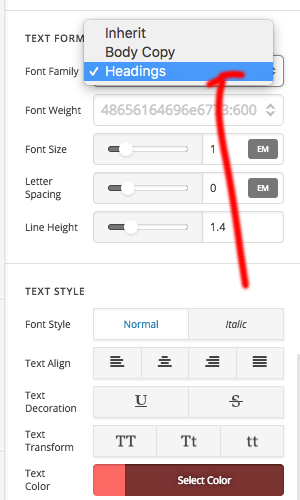
Use the font template by editing the heading or time of new heading or any text module

This will add chosen font family to the heading or text module.

Check this video for making responsive text :

If you dont want to change the color and font size every time. you can create a css class.

.customclass_heading {
   weight: 600; 
    color: 00629b;
}

.customclass_body {
   weight: 600; 
    color: 00629b;
}

Use the same class name as responsive template so that it will apply the font size automatically and load the font family via font template you created.

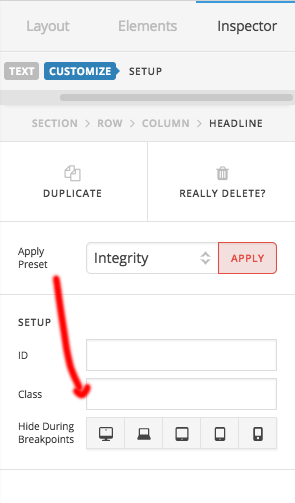
Use the class name in the customize panel of the module.

Hope this helps!

Thanks

This topic was automatically closed 10 days after the last reply. New replies are no longer allowed.