bbPress CSS

Good morning,

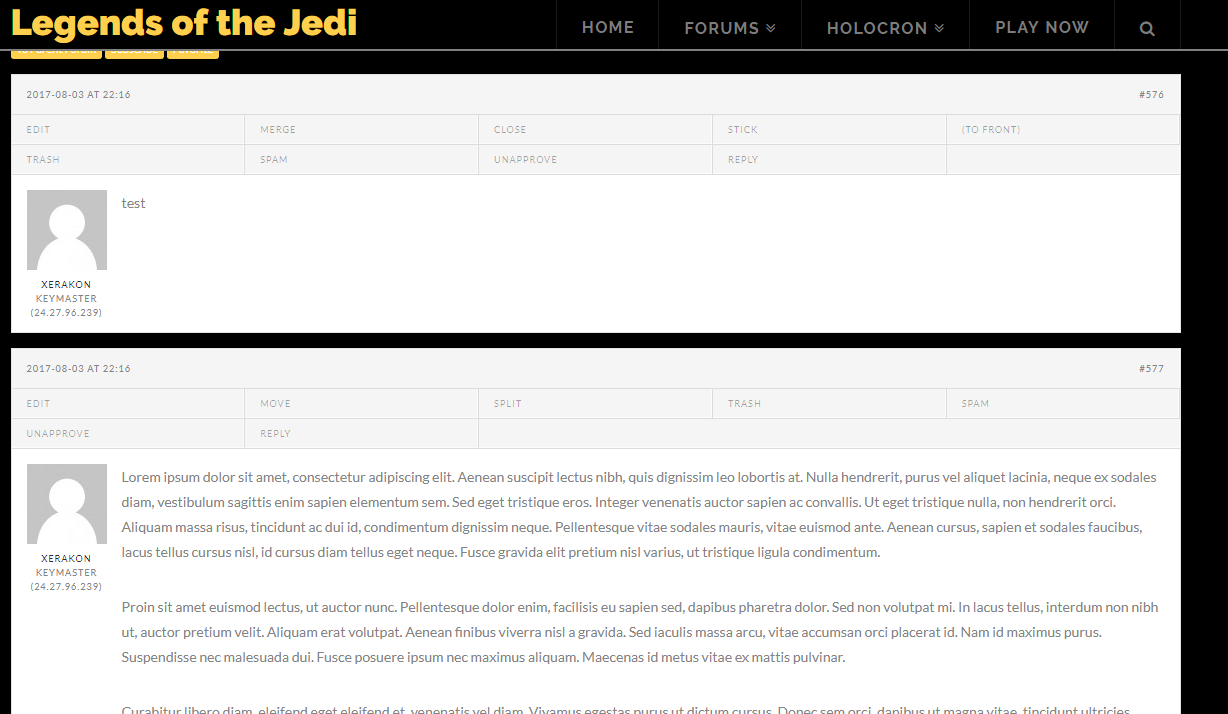
I am trying to get information on how to apply CSS to portions of the bbPress pages. I am running X Theme 5.1.1 with the bbPress plugin from the X Theme installer 2.6-alpha. The majority of my site (http://xerakon.com/lotj) is black background with gray or white text. However, my bbPress page backgrounds and panels are white with black. I’m going to post images here - if someone would be so kind as to help give me the necessary css identifiers to change font/background/panel colors, or point me to a comprehensive document?

Thank you!

Hi There,

Please add the following CSS under Customizer > Custom > Global CSS:

.bbpress .x-container.main:before {
    background-color: #000;
}

Hope it helps :slight_smile:

Hey @thai,

I’ve done as you requested and it gave me the following images. The background itself is black, but not inside of the boxes that lists the forum names or forum posts. Any idea for those?

Hi There,

All backgrounds are now black when I check. See this: https://screencast-o-matic.com/watch/cbj6izlGrC
Can you confirm this is now sorted out?

Thank you @Lely - Yes, I sorted it out. Here’s the code I needed to add to custom CSS for anyone that finds this topic and has the same question. Thanks for the help!

/*
// Forum pages background
*/
.bbpress .x-container.main:before {
	background-color: #000; 
}

.x-bbp-search-form {
  background-color: #000;
}

/*
// Forum compartments backgrounds
*/
li.bbp-header {
  background-color: #000;
  box-shadow: none;
}

li.bbp-body ul {
  background-color: #000;
}

li.bbp-footer {
  background-color: #000;
  box-shadow: none;
}

/*
// Topics background colors
*/
li.bbp-body div {
  background-color: #000;
}

li.bbp-body div.hentry {
  background-color: #000;
}

.x-bbp-item-info-header {
  background-color: #000;
}

/*
// "Not logged in", etc. notice
*/
.bbp-template-notice {
  background-color: #000;
}

Hello There,

We are just glad that you have figured it out a way to correct the said issue.
Thanks for letting us know!

Best Regards.