Bar above rev slider on certain screen sizes

Hi,

Strange issue with Rev Slider which I believe started in the last few days.

On certain screen sizes, for example on iPad Pro in portrait, it places a purple bar above the background image (see image).
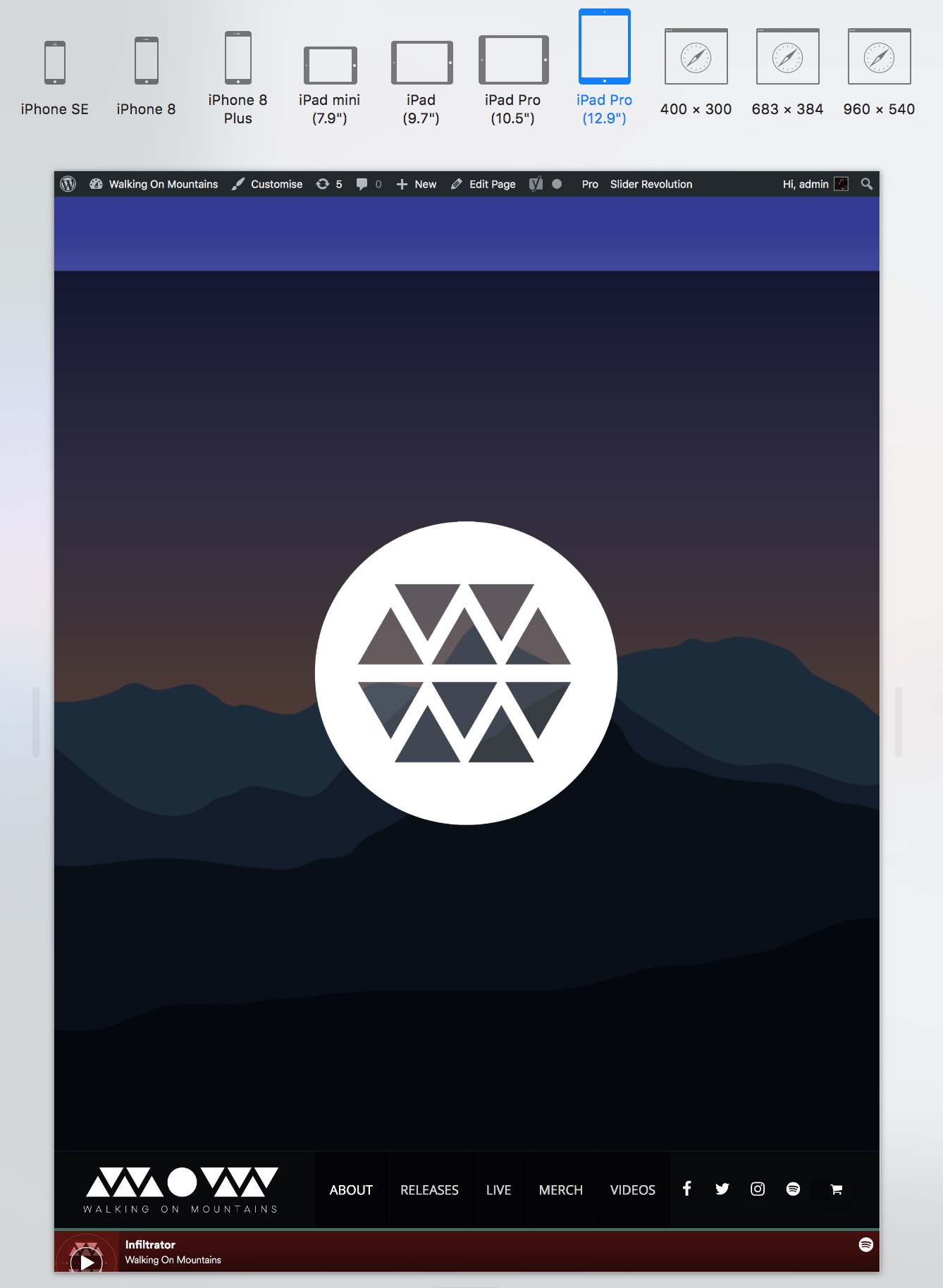
It was also doing this on mobile, but setting a custom grid size fixed it. Unfortunately, doing the same for all sizes has no effect. I’ve also tried increasing the resolution of the background image but that hasn’t worked either! I regularly test the site on mobile devices and this hasn’t been an issue until very recently. I’ve fiddled with most settings I could find in Rev Slider but I’m not getting anywhere…

The site address is http://wom.band

Thanks!
Hi @connorbennett,

Thanks for reaching out.

The layer with transparent background maintains the aspect ratio while your slider while your slider is configured for full-screen (where aspect ratio isn’t followed). Though. I couldn’t trace out the layer setting just by checking the code.

Would you mind providing your admin login credentials in the secure note? I like to check it first and what settings you applied.

Thanks!

Hi, thanks! Details are attached…

Hi @connorbennett,

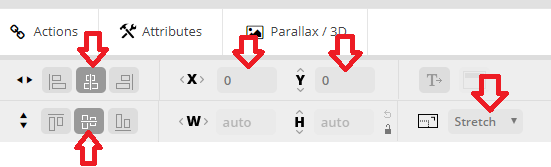
I checked and please follow this setting in your shape layer (the transparent dark layer).

Hope this helps.

That’s done the job! Thank you.

You’re most welcome.

This topic was automatically closed 10 days after the last reply. New replies are no longer allowed.