Hi,
with classic columns the background used to be 100% on every device i used, imac, anylaptop, iphone. It adjusted automatically. To give u an example on my page, check the pictures below, the home page looks good on any device, the contact page looks bad. How do i adjust the background in contact to adjust the same way it does on the home page. Please help!
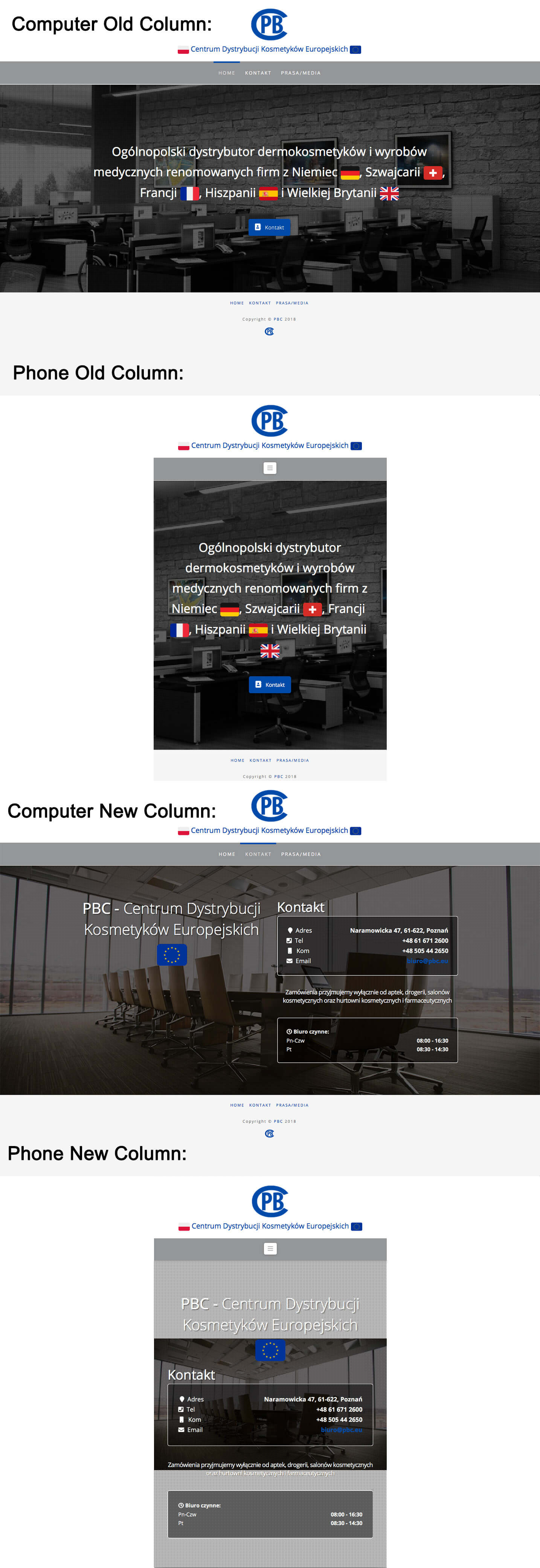
new column on phone looks tragic. How do i achieve the old column result with the new column?
The picture isnt loading, here is a link: http://tco-forum-uploads.s3.amazonaws.com/original/3X/a/4/a42283c14971f612bc31e4834e070f5e52dae5d4.jpg
Cheers
**EDIT: POST CAN BE CLOSED/DELETED. **
instead of width: 100% set width: cover
That’s it.
