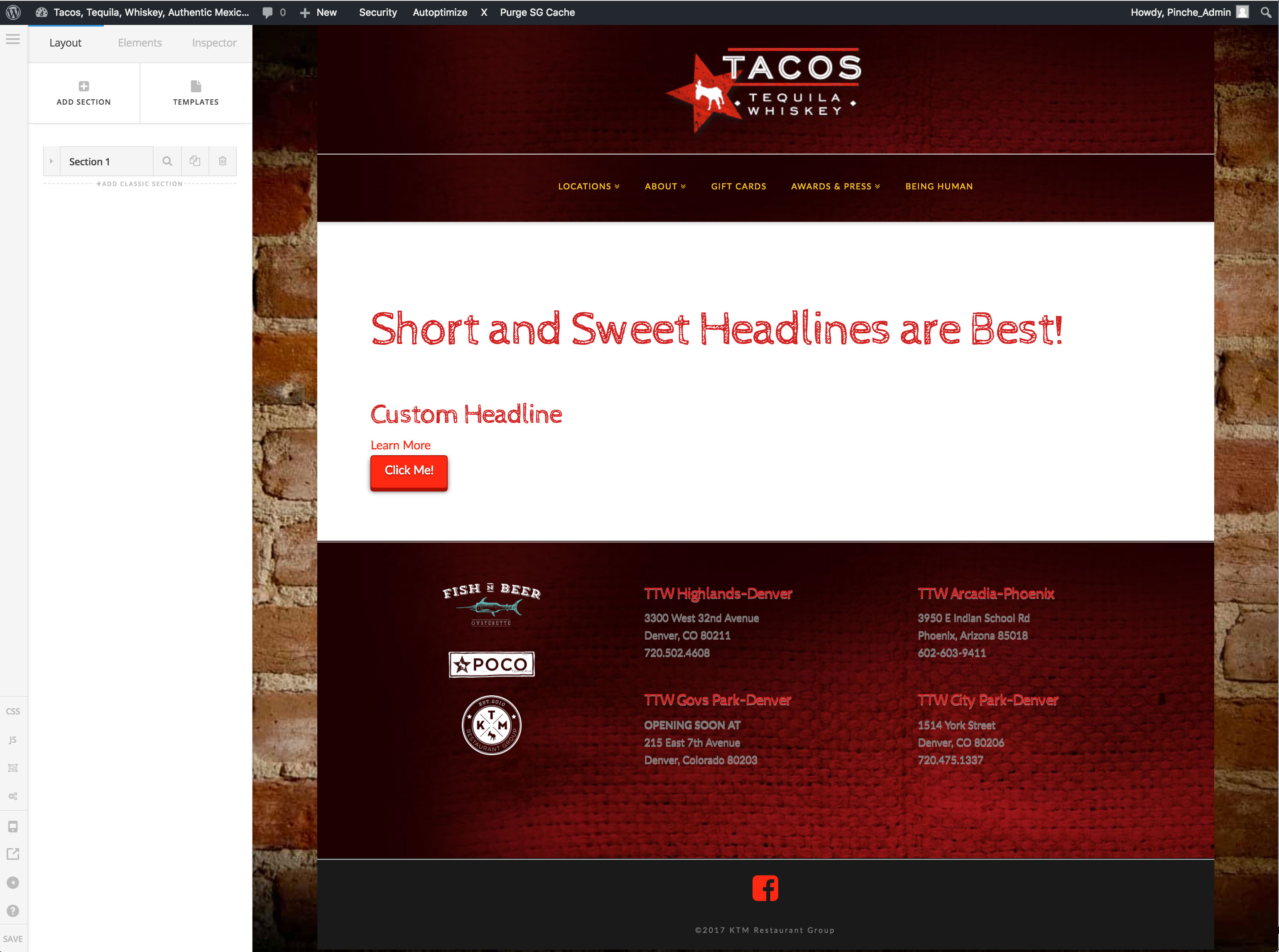
Backgrounds and formatting not rendering for new Cornerstone elements

Hi, I’ve been having the same troubles with all of my sites using new Cornerstone elements. For instance, when I create a new section it will not display the background image or color in Cornerstone, but it shows up fine on the site. If I duplicate a classic section it works fine in Cornerstone and the site.

Same thing with formatting, new cornerstone elements do not show any formatting in the back end, (i.e. color, text formatting, buttons, etc.) but the appear fine in the front end.

I have disabled all plugins, flushed cache, disabled browser extensions and tried other browsers (currently on latest version of Chrome for Mac).

Hello @jlukes42,

Thanks for asking. :slight_smile:

Please make sure that you are running PHP 7 or later on the server as running old version of PHP can have potential issues. You can refer following document for server requirement https://wordpress.org/about/requirements/

In case problem still persists, please share login details, URL in a secure note for us to take a closer look.

Thanks.

OK, I am running all on PHP 7.0.27. I’ll gather the login information and send in a secure reply.

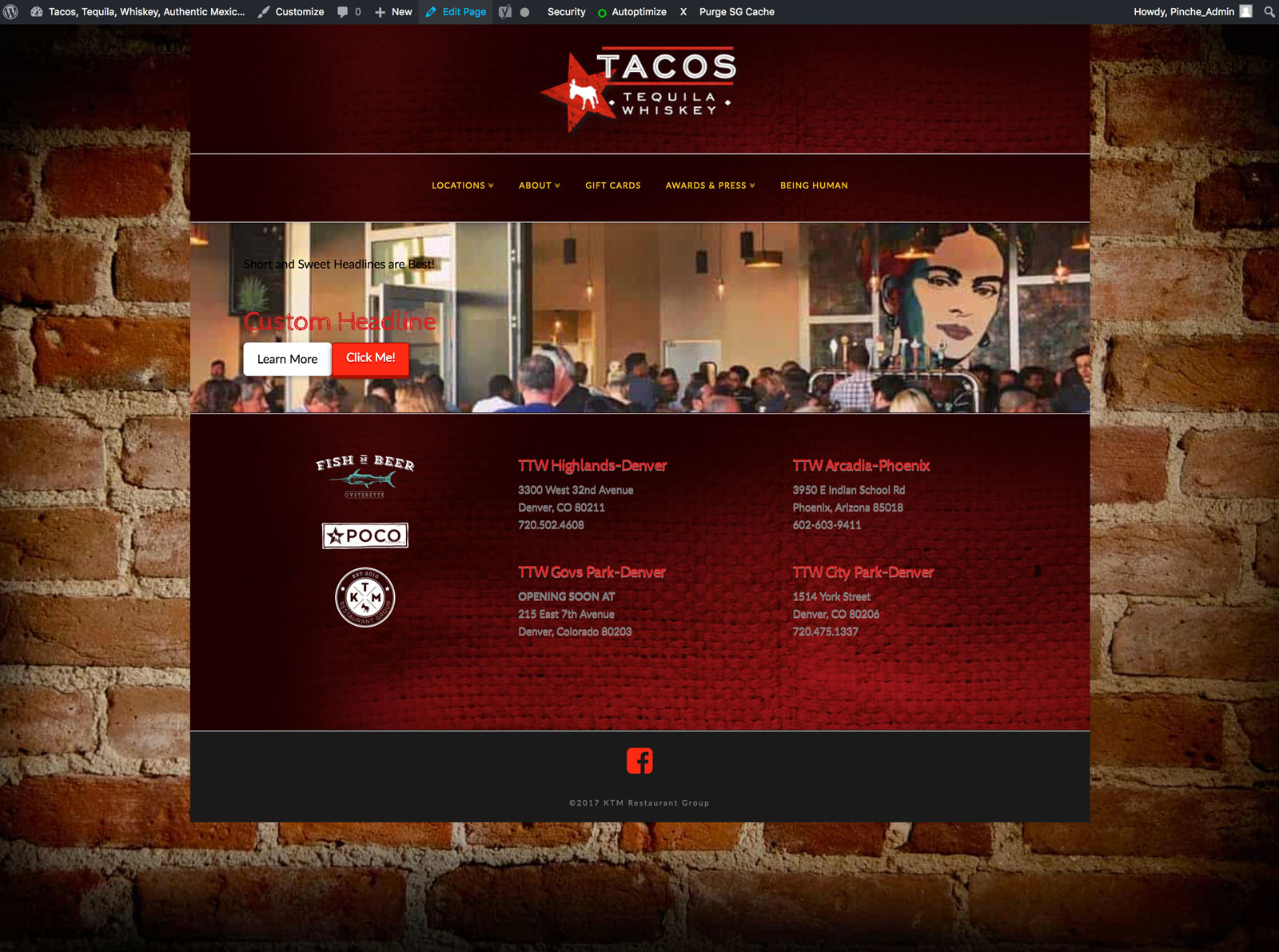
Here are screenshots of the front and back end

Hello There,

Thanks for posting in!

I have logged in and investigated the issue. I did test for a plugin conflict in your site and it turns out that Autoptimize plugin is causing this issue. Please see the screenshots below:


I would recommend that you disable this plugin and disable SG caching. Performance plugins are best turn on when you are finish building with the pages or the site because it slows down or even disrupt the performance of Cornerstone builder.

Hope this helps. Please let us know how it goes.

This topic was automatically closed 10 days after the last reply. New replies are no longer allowed.