I have been using background images for sections - easy to use and works well. But now I’d like to have background images for the columns found within sections. I do not see a way to do that. Can someone please advise how to accomplish this.
Hi there,
Are you using an updated version of X? If so, you should be able to set a background image to the columns:
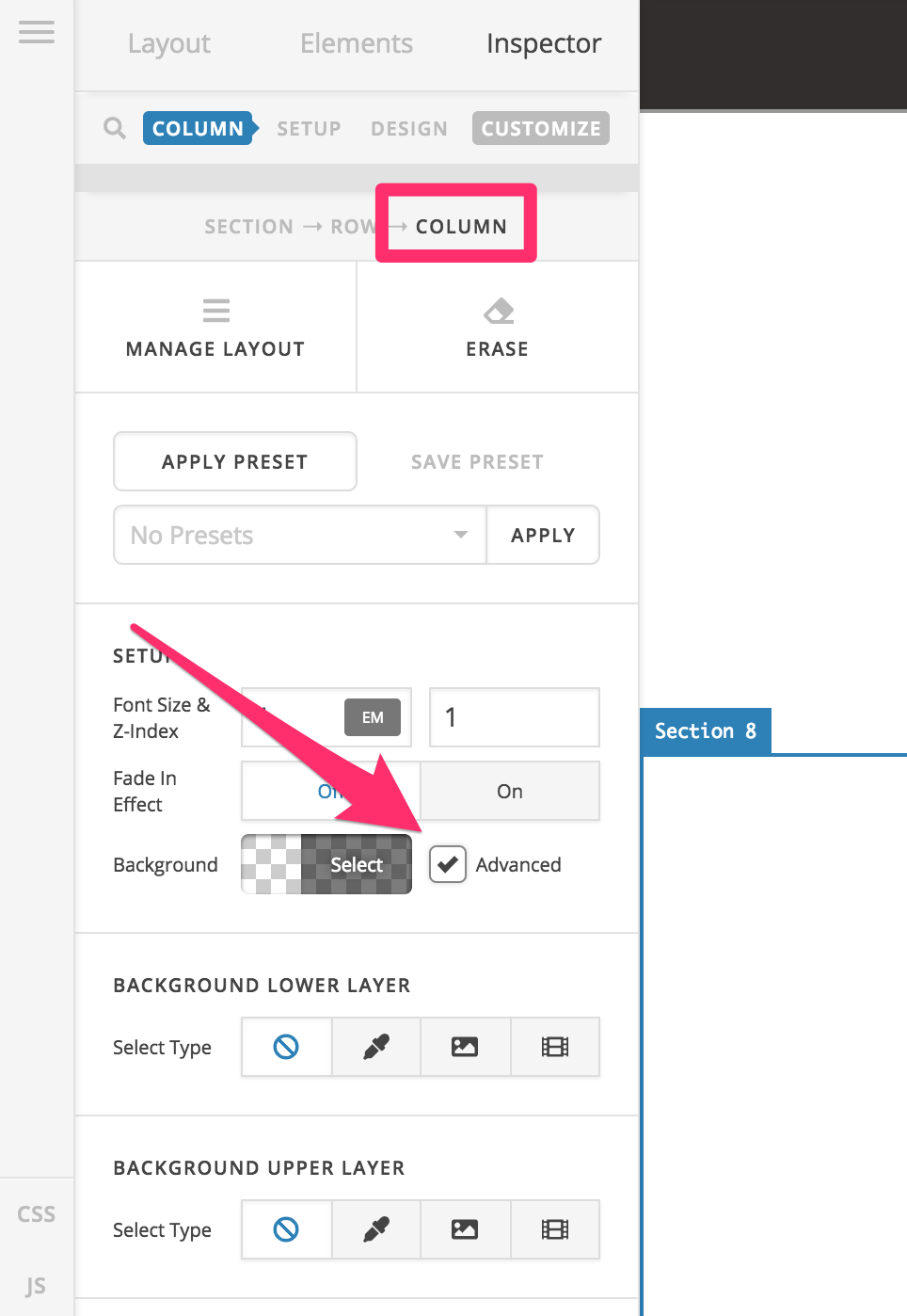
In case you are using an updated version of X but you are not seeing this option, please enable the Advanced Mode option.
Please click on the cog icon on the settings area then enable the Advanced Mode option.


Hope this helps.
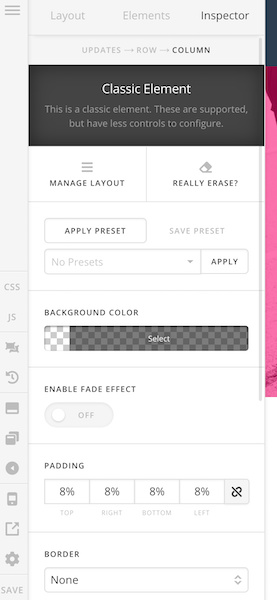
thanks for the response. Here is what I see (with updated X theme, and Advance Mode on)
Hi @danmaat,
I’m afraid that you’ll have to add your section, rows, and columns. That option is only applicable to v2 structures and what you currently have is the classic column. Converting old content (classic) is not automatic when you upgrade the builder. And for backward compatibility, classic structures and elements stay as classic even on newer versions, unless change them.
Thanks!
Okay - that makes sense. I now see I was using classic columns (from a past template I created). Thanks for the help!
You’re welcome!
We’re glad we were able to help you out.
This topic was automatically closed 10 days after the last reply. New replies are no longer allowed.