Hi,
I have a section with a background image. On desktop it shows correct but on tablet and mobile it shows to small.


Is there a solution for this?
Thx in advanced!
Hi,
I have a section with a background image. On desktop it shows correct but on tablet and mobile it shows to small.
Is there a solution for this?
Thx in advanced!
Hi Marco,
Thanks for reaching out.
The reason why the background image is not working properly because of the background-size you set here:
I suggest that you will remove the calc(25% + 15%) and leave it empty. Then add a class name in your section under the customize tab, let say to add a class name section-with-img
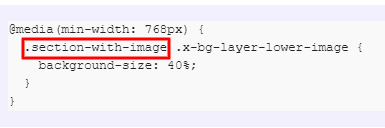
Then add this CSS code in your Pro > Theme Options > CSS.
@media(min-width: 768px) {
  .section-with-image .x-bg-layer-lower-image {
    background-size: 40%;
  }
}
Please keep in mind that the CSS class name you input into the customize tab should be the same as the CSS selector.
Please note that providing custom CSS is outside the scope of our support. Issues that might arise from the use of custom CSS code and further enhancements should be directed to a third-party developer or you can avail One where we can answer questions outside of the features of our theme.
Hope that helps.
Thank you.
Hi,
Thx for your reply but on mobile it is showing to far to the left.
How can I change the position only for mobile?
Hi Marco,
To make the background adjustable into the mobile device, you need to adjust the width of the image, to do that you need to add the following code into Theme Options > Css.
@media  (max-width: 480px)
{
    .section-with-image .x-bg-layer-lower-image
    {
        width: 73% !important;
        transform: translate3d(0px, 0px, 0px) !important;
    }
}
You may need to adjust the breakpoints as per your need. You can find the details on the custom media query breakpoints: https://medium.com/@uiuxlab/the-most-used-responsive-breakpoints-in-2017-of-mine-9588e9bd3a8a
And if you are not proficient with the coding, I would suggest you hire a developer who can assist you to do the customization.
The above code will work if copied as it is and doesn’t conflict with any existing code.
Please note that the code provided serves only as a guide to help you get started custom coding on your own if there’s no option offered in our theme or the products we bundle.
We do not provide support for custom codes that means we can’t fix it in case it conflicts with something on your site nor will we enhance it.
Thanks
This topic was automatically closed 10 days after the last reply. New replies are no longer allowed.


