Background Image Placement

We are in the process of migrating our website to Pro and trying to replicate the gradient styling of our existing theme atop this page:

The image floats right and is kept to 66.6% wide (it ends about 1/4 the way into the headline so the headline and black bg doesn’t actually hide much of the image). I know how to do the gradient but I’m having trouble figuring out where in Pro to set the background image and headline to do the same. Tried custom/element CSS, but no luck.

Can you point me in the right direction?

Hi @co50,

Thank you for writing in, you can set the background image as the lower-background of the section, then the gradient-background as the upper, as you may already know there is no native gradient-background option yet, so you need to do that with a custom CSS, you can target the upper background div container with this class x-bg-layer-upper-color + a class of your section so it will not affect other sections.

You need to play around with your gradient value to get the right effect, you can use this gradient generator tool

Hope it helps,
Cheers,

Hi,

This isn’t related to what I’m asking. I know how gradients work and how to deploy them. My question was specific to how to have the background image fill the row except for the space where the headline is. We can’t just do two columns because the gradient has to fade out a little past the column the headline is in.

Hello @co50,

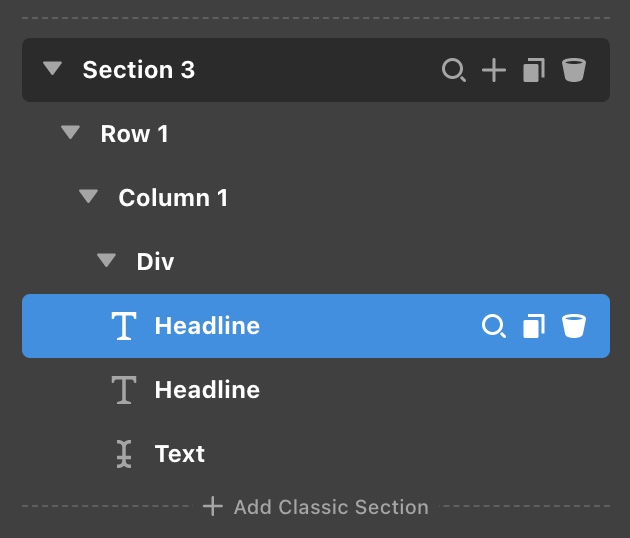
You can set up a section, row with one column, and a div element inside the column.

Set the width of the Div element to at least as wide as the darker area in the gradient. For your background image, set the size to the remaining percentage of the width so that the background will also be always visible away from the darker shade.


In my example above, the DIV element has a maximum width of 50% while the size of the background image is 60%. There would be a 10% overlap between the DIV and the image.

Hope this makes sense.

This topic was automatically closed 10 days after the last reply. New replies are no longer allowed.