Background Image Not Showing after Update - April 2019

Hi there

I’ve just updated to the latest version of xTheme.

For some reason the background image is not showing on the home page. It is on all the other pages.

Have cleared cached etc. Also deleted the background image and re-added it. Still the same.

This one has got stumped, especially since it’s showing on the other pages.

Look forward to your assistance

Hi @davelynch2,

I’m not sure why the image source of background image on your home page likes this:

Please follow these troubleshooting steps:

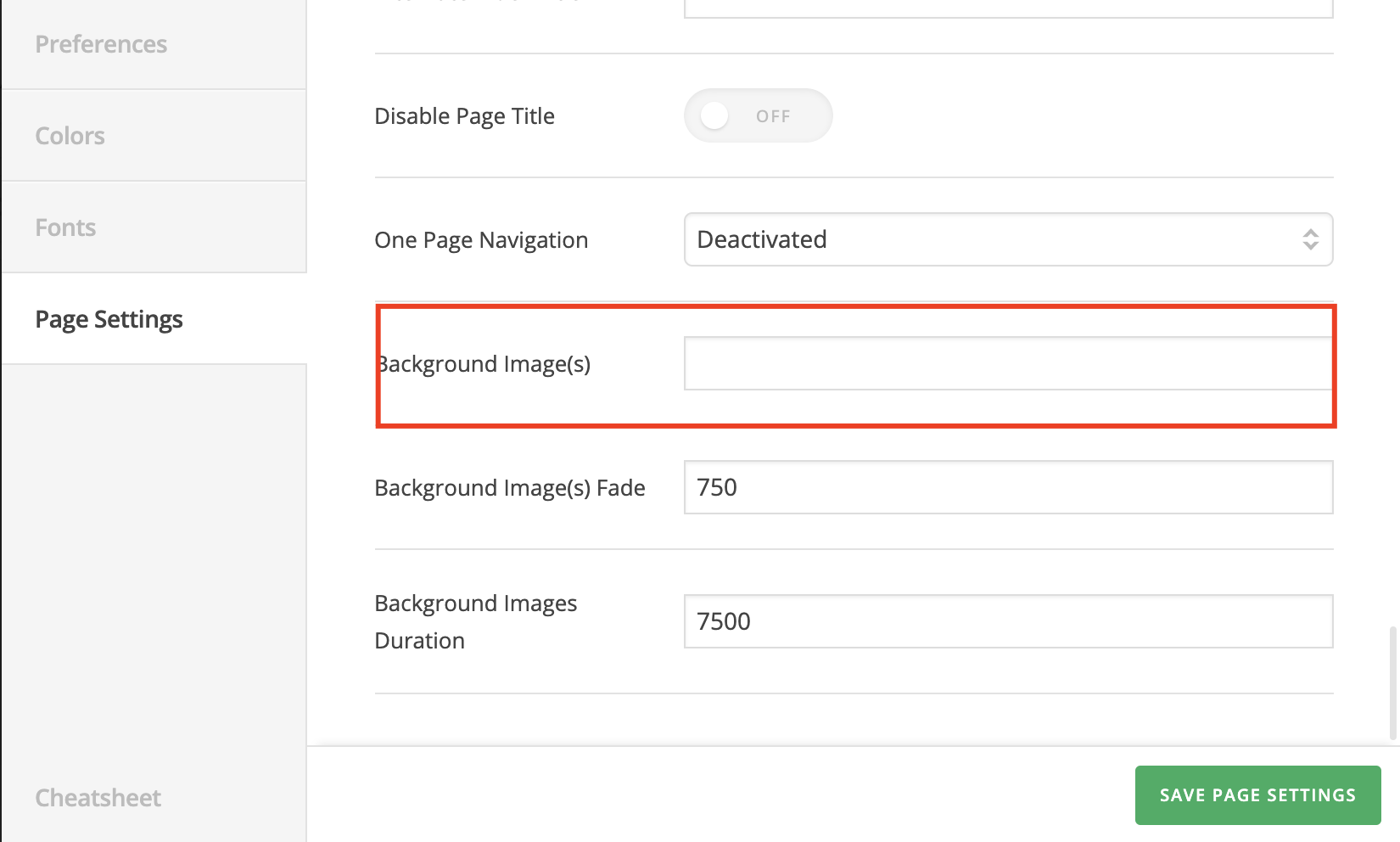
  • Edit your home page and make sure the background image URL is correct:

  • Test for a plugin conflict. You can do this by deactivating all third-party plugins, and see if the problem remains. If it’s fixed, you’ll know a plugin caused the problem, and you can narrow down which one by reactivating them one at a time.

If it still doesn’t help, please share us with your admin account so we can take a closer look.

Thank you.

Hi Thai

Thanks for getting back.

I had different image url’s. The preferences screen for the page and the theme customiser background images were the same image but different urls.

Thanks so much for your help.

Hi @davelynch2,

In that case, you can remove the background-image set in page preferences, and let the one in Theme Options to take over.

Thanks,

This topic was automatically closed 10 days after the last reply. New replies are no longer allowed.