Background Image doesn't work on Integrity Timeline

Hello!

As –sort of– explained in the title, the background image on the timeline section of this website (http://www.md-consulenza.it/) works perfectly on computer screen but on phone it goes over the words and acts weird. How can I fix it?

The second issue is just getting rid of the empty space over the footer.

Thanks in advance!
Hi @instant_hunter,

Thanks for reaching out.

The timeline layout and content is meant for desktop only, it should display different structure on mobile, you can compare it in this demo http://demo.theme.co/integrity-1/.

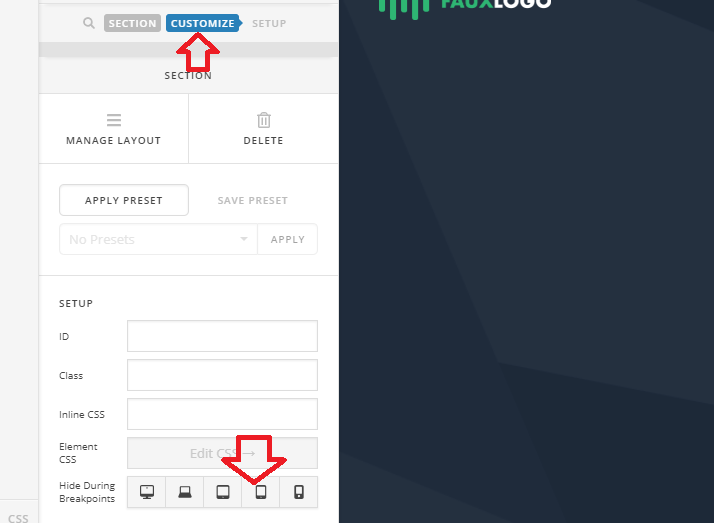
And it’s possible by utilizing the HIDE DURING BREAKPOINTS option, and that’s by hiding the mobile content from mobile, and hiding desktop content from mobile.

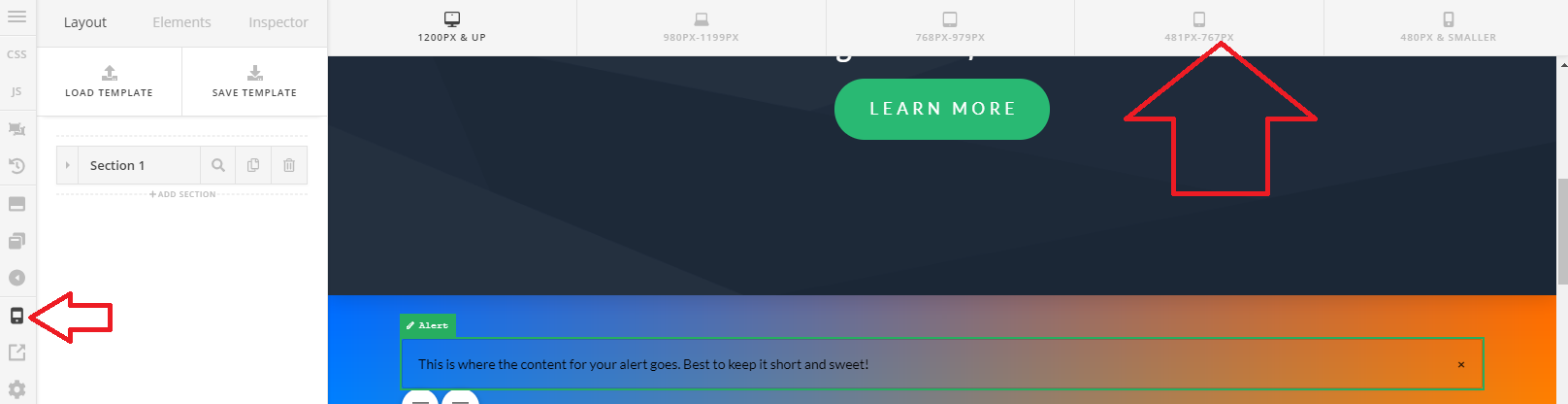
Then, you can simply switch to different views to see the content you wish to edit.

And in your page, looks like you deleted the content meant for mobile. Please add them again, duplicate the content and just change the structure without background.

Thanks!

Works like a charm!
Thanks a ton!

You’re welcome!
We’re glad @Rad were able to help you out.

This topic was automatically closed 10 days after the last reply. New replies are no longer allowed.