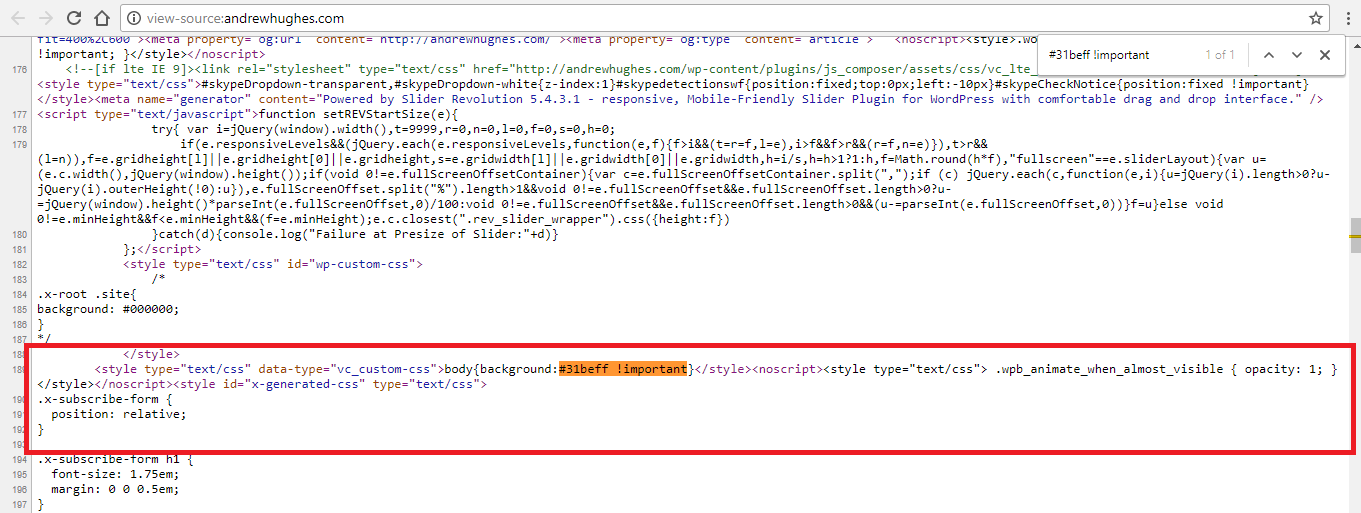
Background colour behind page

The background on my homepage is light blue BEHIND the page. It isn’t like this on any of the other pages. You can see it when the page is loading, and when you scroll. It was set up on the original site before we switched to Pro and I can’t work out how to change it. I want it to be black.

Homepage

Thanks,
Karen

Hi Karen,

It is coming from custom CSS from visual composer.

Thanks Lely, can you tell me how to fix it? I’m not sure how to use visual composer when I’ve already edited with Pro

Hi again.

Try adding the following CSS code in the Theme Options > Global CSS or in the Customizer via Appearance > Customize > Custom > Edit GLOBAL CSS

body {
    background: transparent !important;
}

Feel free to change the background color as per your requirement. Let us know how this goes!

It worked! Thanks so much

1 Like

Glad it worked :slight_smile:

Cheers!