Backgound image on row not visible

Hey ThemeX crew,

Desired outcome

  • Full width background with centered text and button in the middle of screen.
  • align the background image left on smaller screens so it doesn’t zoom in center/ center.
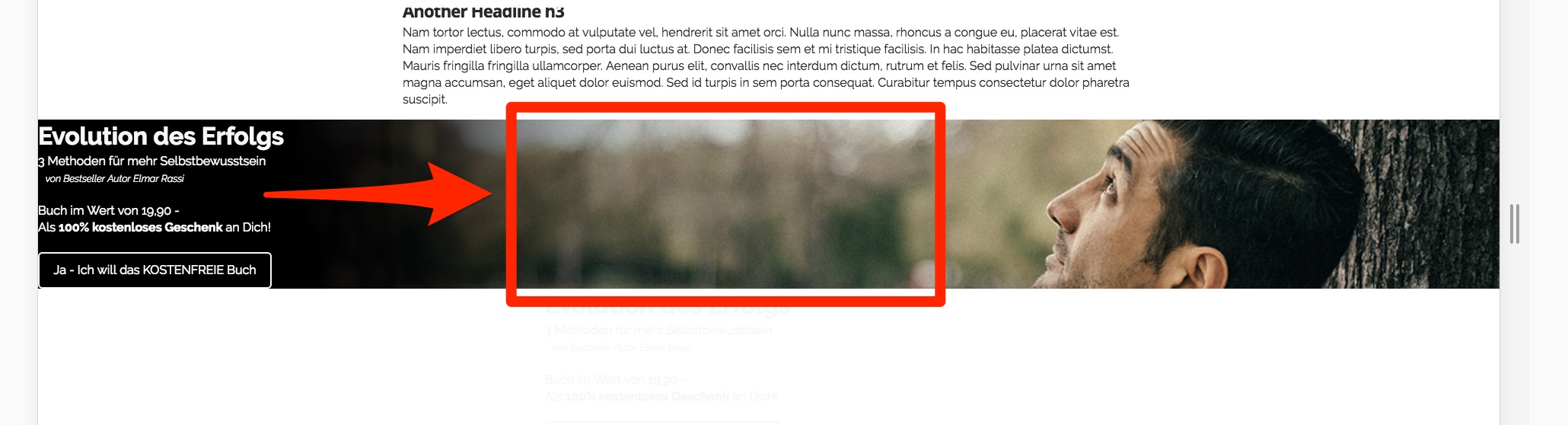
Different approaches

  • one option would be to set the position of a 1 column row to the desired position. How am I doing that and also adjust the position to look good on mobile
    *Other option is to set the background image to the row and use a 1:3 column approach and put the text in the middle column. I would still need to figure out the exact position but the background image isn’t showing.

I also attached a quick screencast in the secret note for further clarification. :slight_smile:

Thank you! :pray:

Hi There,

I confirm the background image is not working on your row.

I think it might be a bug, I will check on my installation.

In the meanwhile I have added to the customize tab of your row > Inline CSS

background-image: url(http://test.elmar-rassi.com/wp-content/uploads/elmar-rassi-evolution-des-erfolgs-teaser-4.jpg); background-repeat: no-repeat; background-position: center; background-size: cover;

Hope it helps

Hi Joao,
thanks.

  1. Can I influence how the image “zooms” in on mobile devices so it doesn’t zoom into center/ center but more into the left, black, part?

  2. How do I center the text if I only use the 1 column approach without messing up the margins on mobile? Are there relevant positioning commands?

Thanks.
A

Hi There,

On the custom CSS that Joao provided, you can change the background-position: center; to background-position: center left; Know more about background-position property here.

The Columns has a Text Align option, you can set that to center (https://prnt.sc/hg4yvd)

Thanks,

Great. thx. :pray:

You’re welcome, glad we could help.

Cheers!

This topic was automatically closed 10 days after the last reply. New replies are no longer allowed.