Back to Top Customization

I see that I am able to change the side in which the “Back to Top” button appears.

However how would I move it further up the right side of the page so that my olark support doesn’t cover it?

Also how would I change the shape of the circle arrow to be a different shape and icon.

Something similar to https://workinghero.org/
Hi There,

Thanks for writing in! To assist you with this issue, we’ll first need you to provide us with your URL. This is to ensure that we can provide you with a tailored answer to your situation. Once you have provided us with your URL, we will be happy to assist you with everything.

Thank you.

Sorry about that!

http://ri.ventures

Hey @MichaelAnthonyMurray,

To move it up, please add this code to Appearance > Theme Options > CSS

.x-scroll-top.in {
    bottom: 60px;
}

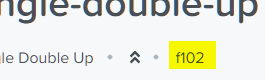
To change the icon, please add this

.x-scroll-top i:before {
    content: "\f102";
}

You can choose icons from here and get the unicode.

Changing the shape would be a bit more complex so this would be getting into custom development which is outside the scope of our support.

Thanks.

Sorry.

What I meant to say is how do I make it larger or smaller.

Basically more proportionate to my Olark Icon.

I WAS able to change the icon as you instructed .

  1. How do I make the icon larger or smaller?
  2. How do I push the icon away from the right side more toward the center of the screen by 10 px or so?

THANKS!

Hi,

You can add this in Theme Options > CSS

.x-scroll-top.right {
    right: 20px;
}

.x-scroll-top {
    font-size: 45px;
    line-height: 57px;
    width: 65px;
    height: 65px;
}

You may change the numbers to adjust.

Thanks

1 Like

This topic was automatically closed 10 days after the last reply. New replies are no longer allowed.