Automatically center elements added to columns

Hello, so right now I want to whatever I add to the next column automatically center, as for right now it aligns to the left.

Let’s say I have a row with 5 columns and I only have two images inside of the 5 columns row, is there a way to center them automatically? so if added another one it stills center?

I really wish this make sense!!

This is the link:

http://ellelayout.nashalamadesigns.com/books/

If you look at FAE LEGACY I want them to be center as soon as I add the first column image, same with the books showing up below.
Hello Nasha,

Thanks for writing in!

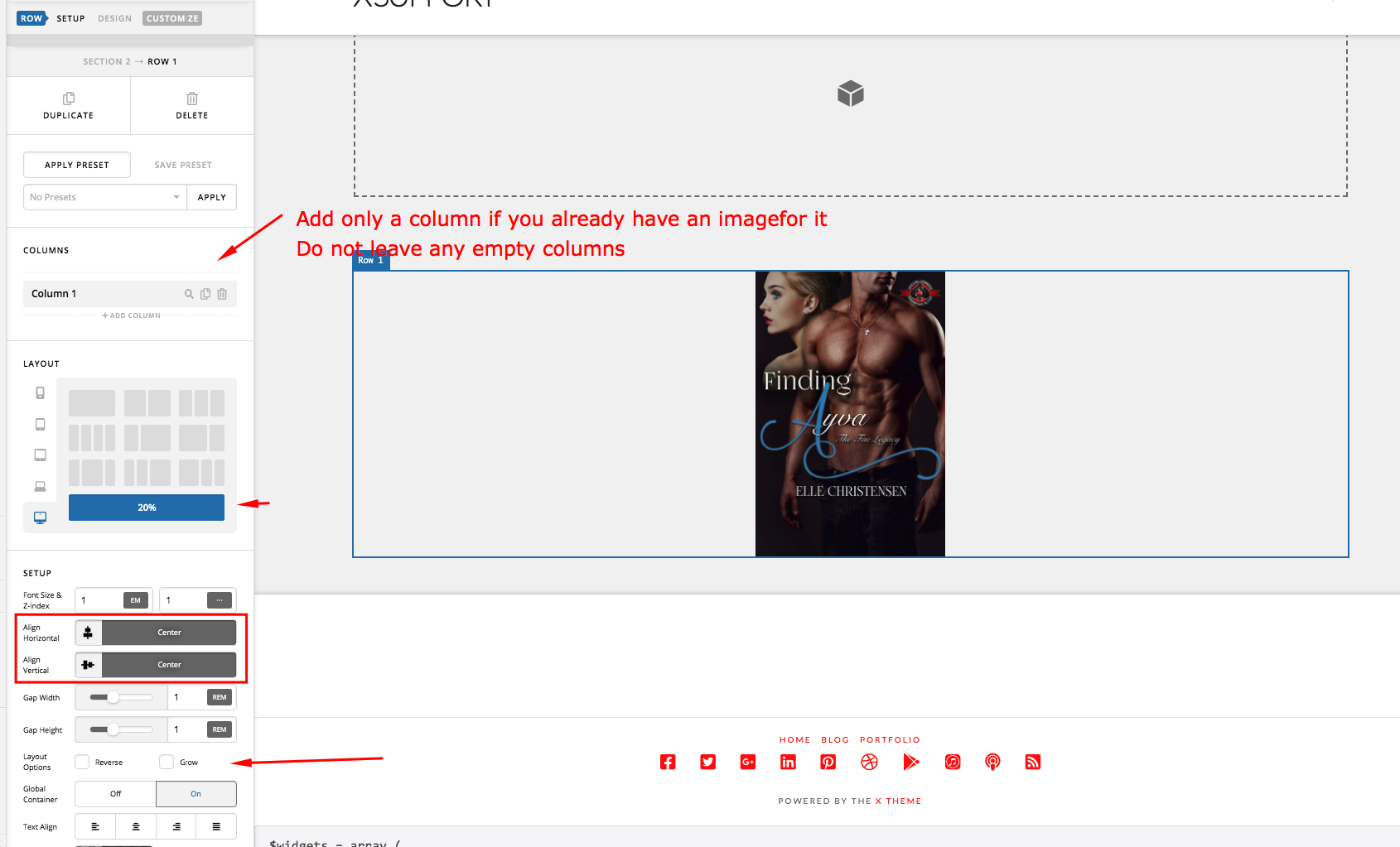
Do you want something like this?

Please do the following:

  • Set the number of columns to display
  • Do add any column if you will just leave it empty.
  • Set the horizontal and vertical alignment to center
  • Disable the “Grow” option in the Layout Option.

Hope this helps.

It worked!! THANK YOUUU

You’re welcome!
It’s good to know that it has worked for you.

This topic was automatically closed 10 days after the last reply. New replies are no longer allowed.