Assigning a js class to a 3rd party embedded element to trigger a modal

Hi, I have created a js class to trigger the opening of a specific content area modal, and it functions perfectly when the class is assigned to any element within X-Theme. I would like to be able to trigger the modal by clicking on a particular element within a map embedded into my page (the mapsvg plugin). I have unsuccessfully tried assigning the same js class into the specific map elements that I would like to use as the trigger for the modal. (for example, a text-based hyperlink, or better again the location map markers on the map. This is the code that works for any cornerstone elements, but not for the 3rd-party elements.

jQuery( function($){

	$('.open-content-area-modal-1').on( 'click', function(e){
        e.preventDefault();
    $('#content-area-modal-1-anchor-toggle')[0].click();
    	});
});

and below is a screenshot showing the elements that I would like to be able to use as click triggers for the modal

thanks,
Hello Cathal,

Thanks for posting in!

In embedding your map, you should be using a wrapper like this:

<div class="my-map>
  <!-- this is where you insert the map embed code -->
</div>

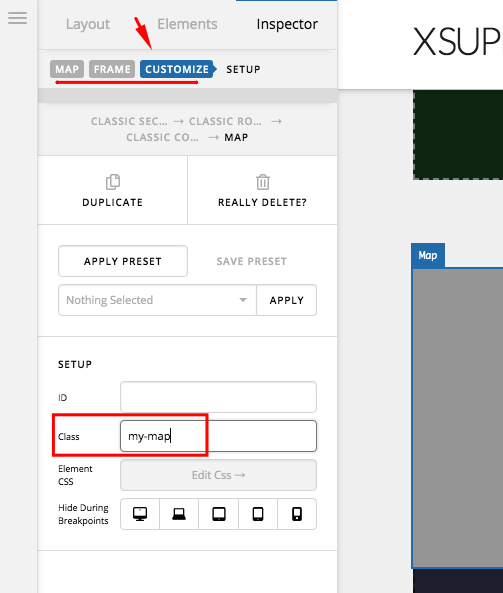
Or make sure to add a custom class my-map in the “Customize” tab if you are using the Map element.

And then you update your JS code and use this:

jQuery( function($){
	$('.open-content-area-modal-1, .my-map').on( 'touchstart click', function(e){
        e.preventDefault();
    	$('#content-area-modal-1-anchor-toggle')[0].click();
    });
});

Every time you click within the embed map, the content modal will be triggered.

We would love to know if this has worked for you. Thank you.

Hi, Thank You. That works in terms of triggering the content modal when any part of the map is clicked. What I was trying to achieve, though, is that the modal will be triggered only when specific elements of the map (such as a place marker) are clicked. The problem at the moment is when I want to scroll the map using the mouse, that action triggers the modal.

Hey Cathal,

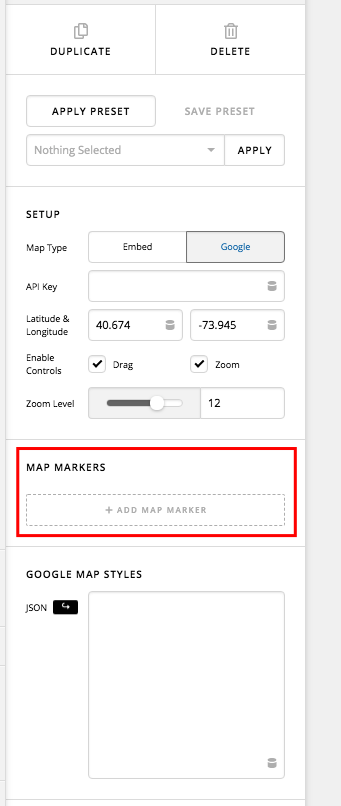
If that is what you have in mind, may I recommend that you use the latest map element and then utilize the Map Markers so that you can assign any place on the map and display map information. You won’t be able to insert any custom contents though.

Please set up a test page with a map and a map marker so that we can check if we trigger events when a map marker is clicked.

Regards.

This topic was automatically closed 10 days after the last reply. New replies are no longer allowed.