Anchor alignment

Hi Team X,

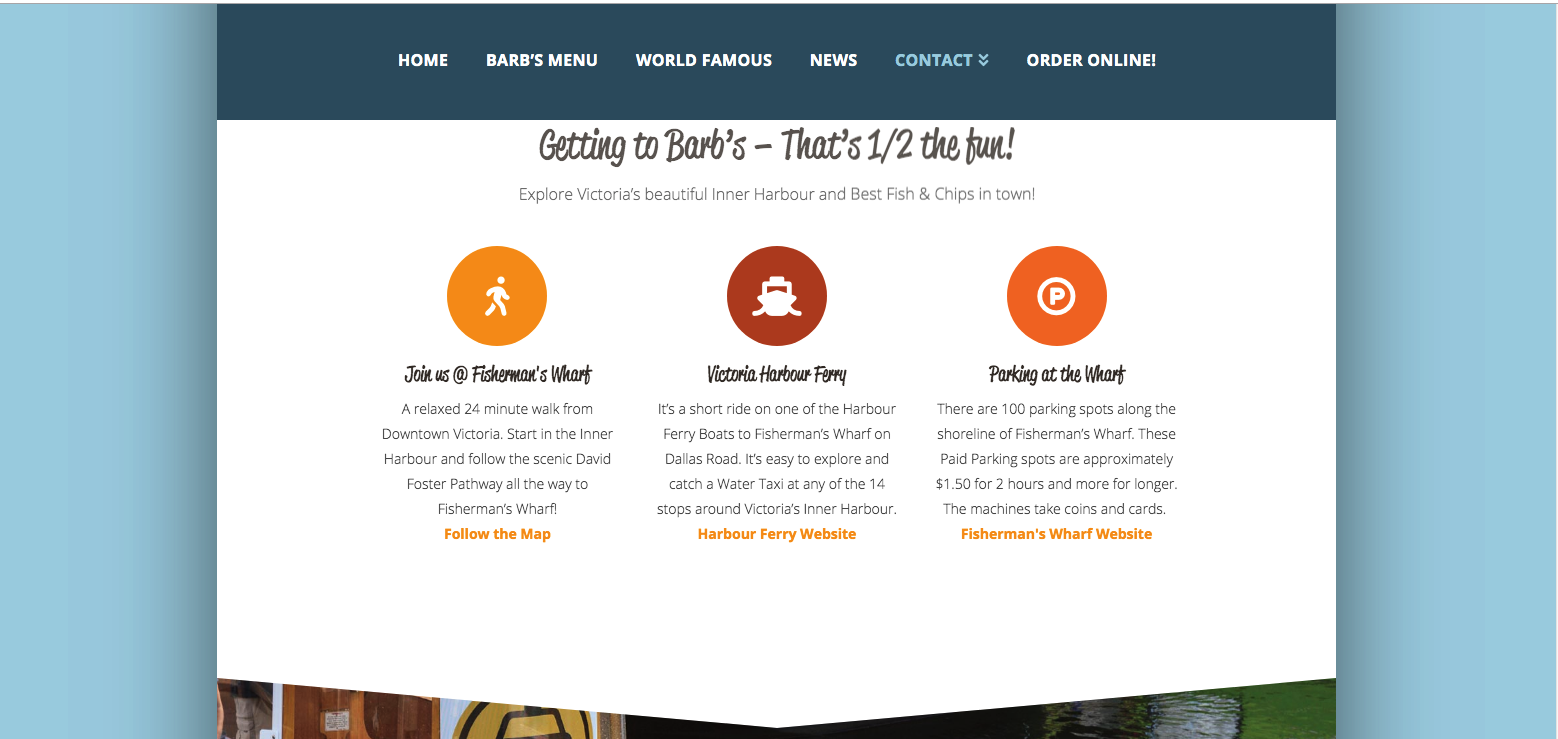
We’re having a small alignment issue with an anchor link. If the anchor is on the same page it aligns well to the top of the section that is assigned but if visited from the main nav on another page it does not align the top correctly, instead it goes past the section top and nearly cuts off the header within the section. Is this a small css edit to ensure it links correctly to the top of the section?
Hi @DeeDesign,

Were you able to get this issue sorted? I have just checked your site but I am not able to replicate the issue you mentioned (see secure note for screencast).

As for the slight flicker of the text, when it lands to the section from another page, this is because of the animation of the column.

Hope this helps.

Thanks Jade,

It’s still and issue, seems to be only on larger screens - is there a fix for that?
The issue is persisting on 1200px imac screens.

Hello @DeeDesign,

I am using a larger screen and I am seeing this upon the loading of the page.

As soon as all the elements and page resources have been totally loaded, the section displays correctly. You might wonder why this is happening? This is because upon loading the page, the height of the section is not yet fully stretch. Please remove the animation of the feature boxes and you will see a difference when loading the page.

Hope this helps.

Thank you RueNel,

I removed the fade on the headline and icon animations but now the page gets stuck in the position displayed above, it does not correct after the the page loads, both when visiting from another page or directly from the contact page. Can we adjust to have this section anchor meet the top of the white section with the bottom of the nav bar and not the headline?

Hello @DeeDesign,

I could not replicate the issue.

Please check out how it loads on my screen.

This topic was automatically closed 10 days after the last reply. New replies are no longer allowed.