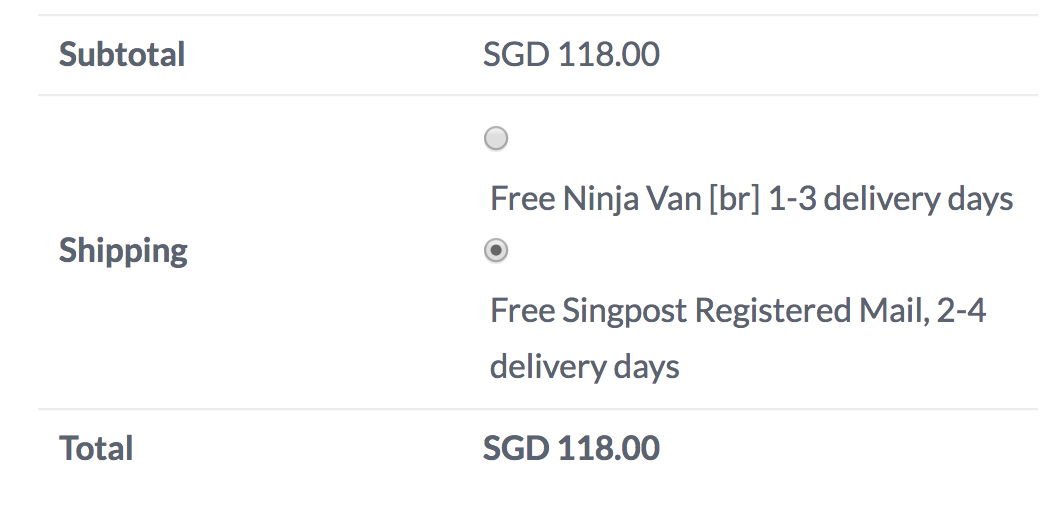
Allow [br] shortcode at checkout page

function add_linebreak_shortcode() {
return ‘
’;
}
add_shortcode(‘br’, ‘add_linebreak_shortcode’ );

I have added the above shortcode to add link break with [br]. It can work well in all pages except ‘checkout’, which is the page that I need.

For example, I edited my shipping to be DHL [br] 2-3 delivery days [br] tracking available.

What I want to see
DHL
2-3 delivery days
tracking available

but what I see
DHL 2-3 delivery days tracking available.

In fact, I see the shortcode working well for that split second before it’s not there.
Hey Kevin,

Is there a reason why you use a custom shortcode to add line break instead of the HTML <br> tag?

Please also note that we do not have support for custom codes. But, we would want to understand what you want to accomplish so maybe we can achieve this using native theme features. With that said, please give us the URL of your page, steps to replicate the issue and screenshots of where you added the code.

Thanks.

Above image is for this link: https://vivreactivewear.com/checkout/
As I’m using a plugin ‘booster for woo commerce’ to add description for shipping, so that it will look good in mobile as more than half of customers are using mobile to shop. It is also important that the radio button is directly in front of each shipping option.

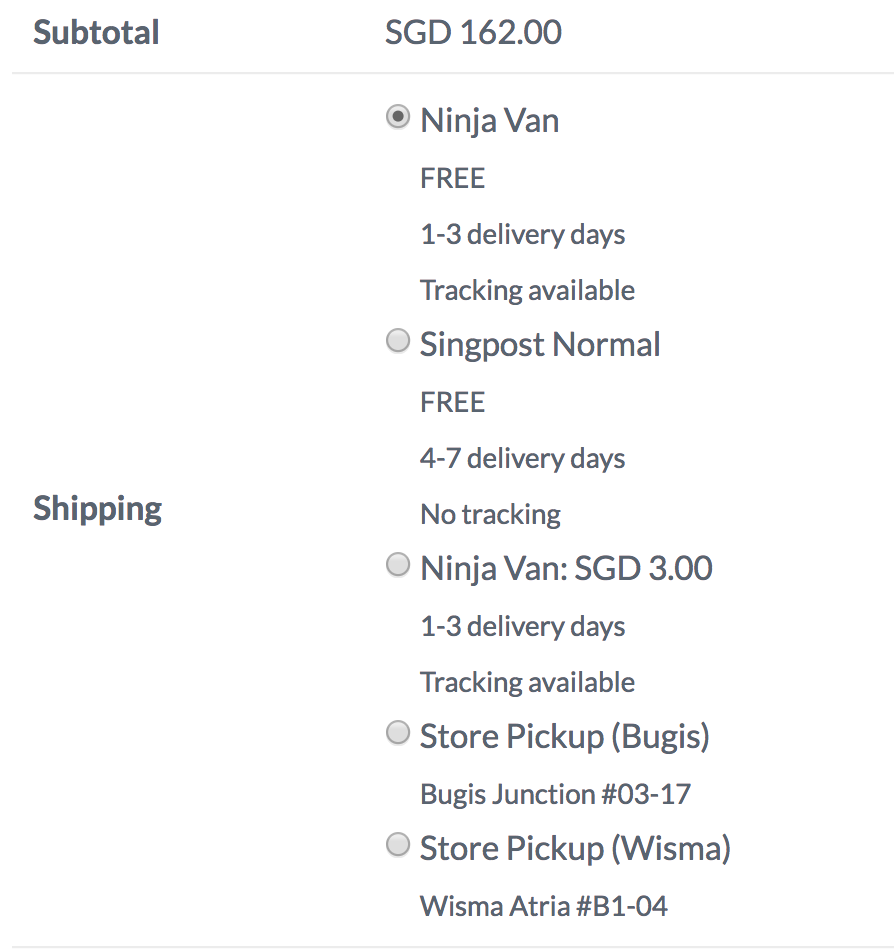
Otherwise, it will be like below.
https://vivreactivewear.com/test-site/checkout/

The radio button is above the shipping option as my shipping option has too many words, which sometimes prompt some customers to choose the wrong option as the current highlighted radio button may mean either 1 of the option. In another words, some customers will choose the radio button below the shipping option that they want.

This say, if there’s any css code which can force the radio button to appear in front of the shipping can do good too.

ps: I have tried HTML BR but it won’t work according to what I want too.

Hey Christian,

Your reply has inspired me to work on the css instead.

@media (max-width: 640px){
.woocommerce #shipping_method label {
padding-left: 8%;
}

.woocommerce-checkout form input[type=“radio”] {
position: absolute;
}

Thanks a lot! Please share if there’s anyway to improve on the styling.

Hi @kevinchia83

I’ve checked your solution and I can tell it’s working perfectly on different screen sizes mobile devices.

Good luck!

This topic was automatically closed 10 days after the last reply. New replies are no longer allowed.