Hello, i try to allign section with classic embedded map with my footer but when i adjust margine on section setting that does not look good on mobile site.
How i can get map with no gap from footer?
This is screenshot from desktop version.

Hi @Luketina,
Thank you for reaching our to us. I tried to check your site but it seems like it’s under construction at the moment. First inspect your section that contains the Map element and set the margin and padding to 0 and then add the following code in the Theme Options > CSS:
.x-map {
    margin-bottom: 0;
}
If you’re still unable to align the section then please provide us with the URL/User/Pass of your WordPress dashboard using the Secure Note functionality of the post to follow up the case.
Thanks!
That code dont work for me, i added login in secure note.
Hi Zvonimir,
Please inspect the Column containing the Map, and set the min-height to 0 and max-height to none
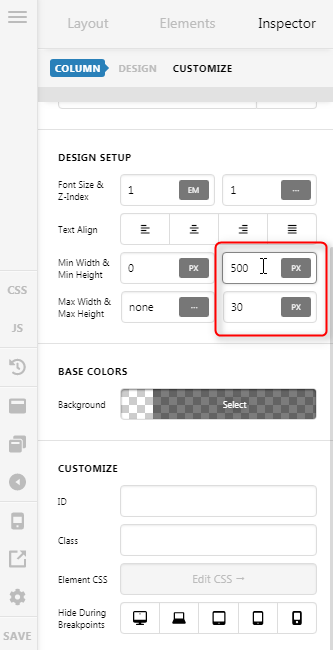
The remaining space will be the Section’s bottom padding, please set that to 0.
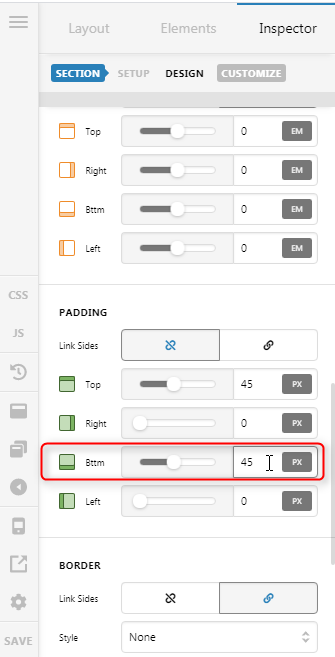
If you do not see this padding option on your end, please enable the Advance Mode.

Hope it helps,
Cheers!
Many thanks, advance mode on my site was disabled.
Now is everything ok.
Glad we could help.
Cheers!
This topic was automatically closed 10 days after the last reply. New replies are no longer allowed.