I have applied CSS to 3 images and instead of staying on those images, it is applying to all of them on the page. I tried using a class, but that didn’t work either. thoughts?
Hi Kensie,
Thanks for writing in! The correct way would be to assign a unique class for your 3 images first.
For example:
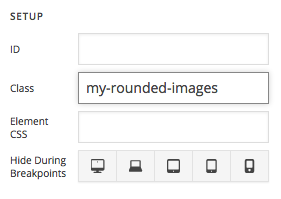
Then you can add a custom CSS rule to target those 3 images.
.my-rounded-images {
  /* Your CSS Here */
}
Hope that helps.
That is how I had it set up to begin with and it wasn’t rounding the images. I took out the class and then it rounded all of the images. Now, I have it back that way and the images aren’t round again.
Hi There,
Thanks for writing in!
Can you please post your page URL in a secure note so that we can have a look.
You can use border-radius option the image element to make a rounded image and save it as preset to apply it on the different image you want.
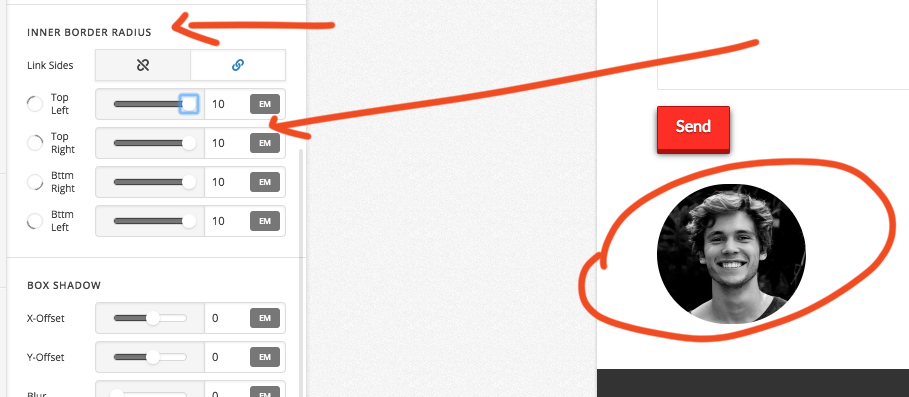
You can adjust the value also.
After finish, this for one image just save it as preset.
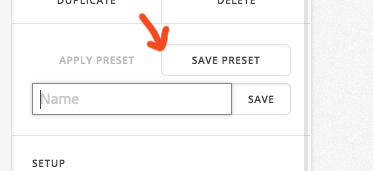
Then apply the preset in other images.
Thanks
Thanks, I thought that you could adjust border radius on images, but I don’t see that option on Cornerstone for some reason? Am I overlooking (screenshot attached)?
www.mapleoaksredangus.com/wordpress1
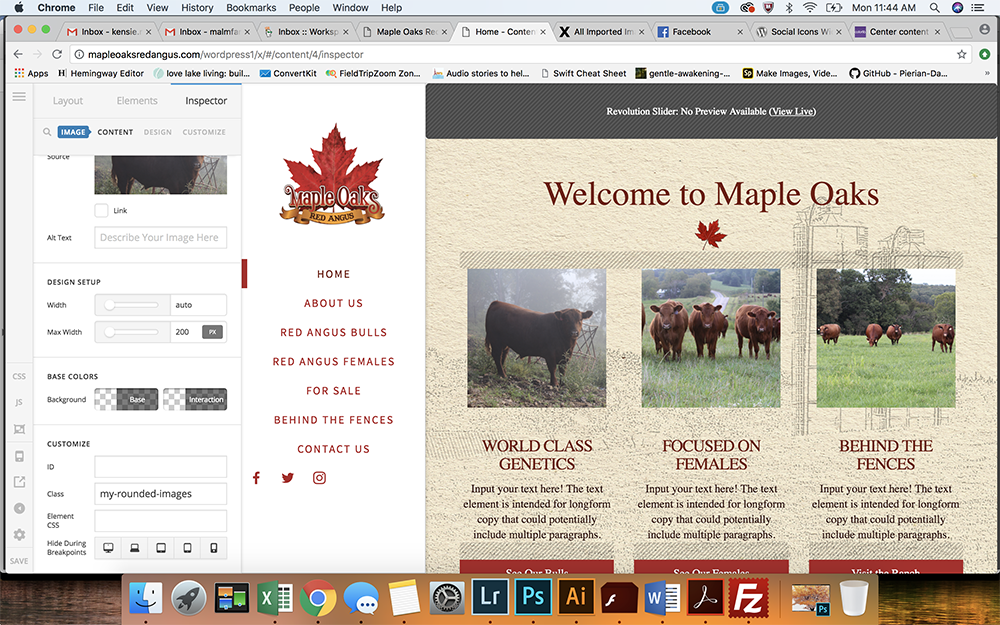
Hi there,
Kindly enable the advanced mode option in Cornerstone.

Hope this helps.
1 Like
Thanks, I thought I had that selected.
Also, any idea how to center widgets in the menu (see above screenshot)?
Hello @kensiemalmfeldt,
Thanks for updating the thread. 
You can use following CSS under X > Theme Options > CSS to center align widgets:
.x-navbar-inner .widget-area {
    text-align: center;
}
I have found the proper CSS code selector using the Chrome browser Developer Toolbar:
For the CSS code itself, I suggest that you get started with this tutorial:
Thanks.
This topic was automatically closed 10 days after the last reply. New replies are no longer allowed.