All images left aligned after theme update

Hi,

I updated the theme from an older version to the latest last week and in one of our articles, https://www.20minutos.es/servicios/productos-financieros/vpn/. All images are now left aligned, they used to be centered and the flexbox is still set to “horizontal alignment, center”.

I’ve looked in the section, row, grid and individual columns to see if there is any conflicting alignment but can’t find anything. I tried to reset the style of a grid column as well but it didnt work either. Do you know what might have happened?

Thanks!
Hi Pontus,

I have checked and found that the <em> tag in your HTML structure which is the reason behind your issue. I went ahead and removed that using the Browser Debugger tool and it worked. You can check the following screenshot.
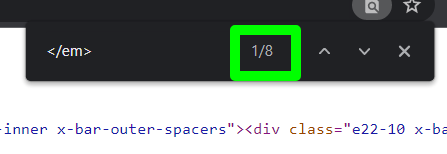
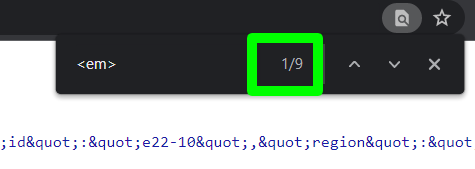
I found in view source that there are 9 <em> tag has been opened but only 8 are closed, so it might be somewhere the <em> is not closed properly.

Screenshot-827-

Screenshot-826-

I would suggest you check by deleting the section one by one till the issue is fixed, and the last one you have deleted before the fix is the actual issue.

Hope it helps.
Thanks

This topic was automatically closed 10 days after the last reply. New replies are no longer allowed.