All headers / pages started shifting to left or right when scrolling?

I posted this before and did all of the suggestions but only fixed a few things by ‘hacking’ global containers for various headers. I’ve disabled ALL CSS to test and am still having this issue on my contact page. Please help bc i’ve been on this problem for hours/days/weeks. Kind of over it at this point. I don’t have this issue on any of my other sites.

My Home page i fixed the Rev Slider but the page still pops over and the CONTACT page is still broken as well.

Thank you in advance

Is there an easier way to get a copy/paste of all the custom CSS for a particular Pro theme other than installing a blank/clean install on a staging site and copy/pasting it to replace any edits/errors that have been made while customizing a working site?

Hello Michael,

Thanks for writing in!

1.) You are experiencing this issue because of your Top Navbar Height setting set to 65 pixels only where in the actually height of your Navbar is 125 pixels. You will have to update it to 125 instead to resolve this issue.

You can check this out in Cornerstone > Theme Options > Headers > Navbar.

2.) You can use the CleanCSS site to check your code:

Best Regards.

excellent thank you. I had it down to 30 but ran across a forum that said it had to be set to at least 65 for the Navbar. I will make the adjustment but I feel like that is going to be LOTS of extra white space. I’ll test it out and cross that hurdle when if/it appears. Thanks again. michael

I made the adjustment but it is still glitching on the CONTACT page and as mentioned above, lots of extra space around the entire MENU. Any advice on how to correct these two final issues?

Again, thank you for the help thus far.

~m

Hey Michael,

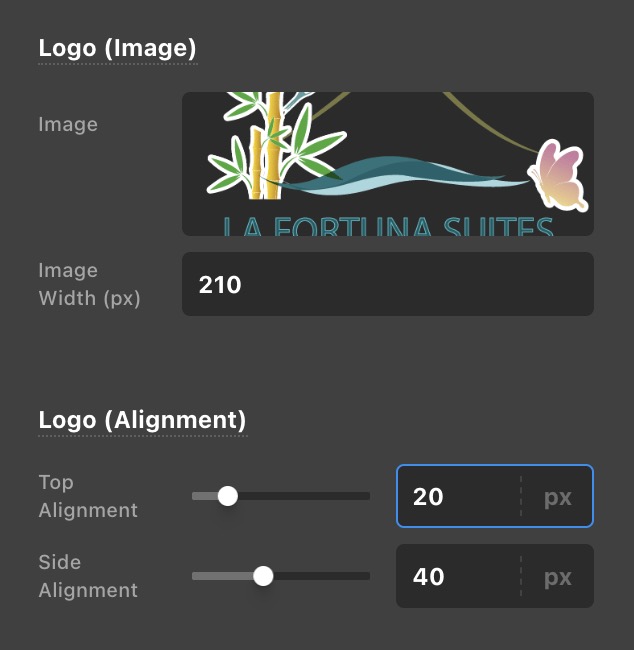
The logo image height also contributes to the height of the header. Since the Top Navbar height is only 125, your Logo image width should be at least 210.

  • Logo image width divided by two plus the top margin of the image = 125 pixels in total.

Hope this helps.

It seems to be working so thank you very much for that but this feels like a very strange case and I can’t seem to wrap my head around it. This is like my 12th site built with these tools and the first time I’m having this issue. So now that the ratio/portion of header-image is correct. Can I shrink it all back down now because again, there is far too much white filler space around the menu now.

Hello Michael,

If you adjust the Top Navbar Height, the logo image becomes smaller or that you would still be experiencing the issue again. What you need to do first is to adjust your Logo Image.

Your image as shown above is 512x512 pixel in dimension. It has a white space above and below it. If you can resize it and remove the white spaces a little then you may be able to display a bit bigger Logo image in your header without having any issue with the current setting or has a smaller navbar height.

Hope this makes sense.

1 Like

This topic was automatically closed 10 days after the last reply. New replies are no longer allowed.