Alignment of timeline slider

Hi there,

I’ve successfully customised the ‘timeline slider’. Tho I could use a little hand here with the alignment issues:

As you can see highlighted in red, the ‘slide container’ is has a margin or padding which is like to remove. An easy solution would be to add a negative margin to the element. Issue here is that the slider element does not align with the rest of the layout.

And the status of the next slide ‘right top corner’ is not being displayed, would love to change that too.

Many thanks in advance, regards Jannes

Hello Jannes,

Thanks for writing to us.

It is not possible to guide you with only a screenshot. Please share excat page URL or share your admin login details in a secure note. Please provide the following details

  • WordPress Login URL
  • Admin-level username and password
  • Exact page URL

You can find the Secure Note button at the bottom of your posts

Thanks

No worries, has been added as requested,
Many thanks for looking into it

Hey Jannes,

In your Slider Container element, set the Global Container widths to 100%.

This should remove the white spaces on the left and right sides of the slides.

Thanks.

Hi @ruenel,

Awesome, worked out. Tho on the very last slide the same issue appears.

Any solution for that?

Regards, Jannes

Hello Jannes,

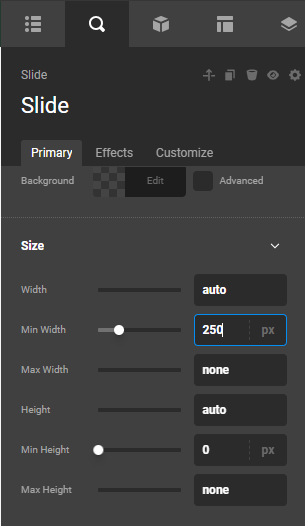
The Slide element is a Looper Consumer with a minimum width of 250 pixels.

Naturally, there is some white spacing because of the minimum width setting.

Thanks.

Hi @ruenel,

My apologies for the misunderstanding, wasn’t precise enough. It’s not about the white space, which is located at the beginning of the slider. I was on about the the white space (which is the status symbol), which is not displayed on the very last page of the slider.

Regards, Jannes

Hello Jannes,

Now I get it. It was because of the Effects applied to the status element and its Icon.

Check the page now.