Hi, I would like to align a button and a content dropdown toggle alongside each other in the same column. The content dropdown toggle automatically renders below, rather than alongside, the button (see screenshot). Is there some css I can add to bring it alongside the button? Thanks.
 .
.
Hi Cathal,
Thank you for writing in, I have a better solution to that instead of a custom CSS. On your column add a ROW element.
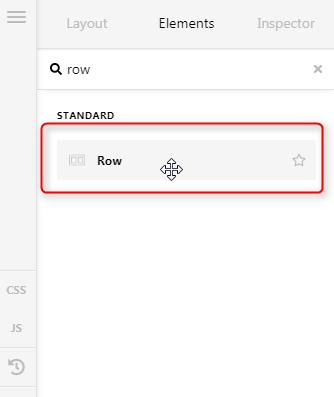
Now set this nested ROW as two columns and place your button and dropdown to each nested column. Turn On the Flexbox feature of the nested columns so you can position the buttons properly (horizontally and vertically).
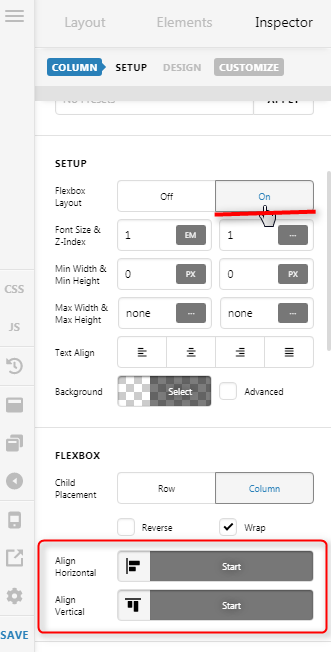
Hope it helps,
Cheers!
This topic was automatically closed 10 days after the last reply. New replies are no longer allowed.