Align the footer to the padding on main site

Hi There,

I created a footer for mobile and its looking great however i would like to align it to the padding that the main site uses. See example:
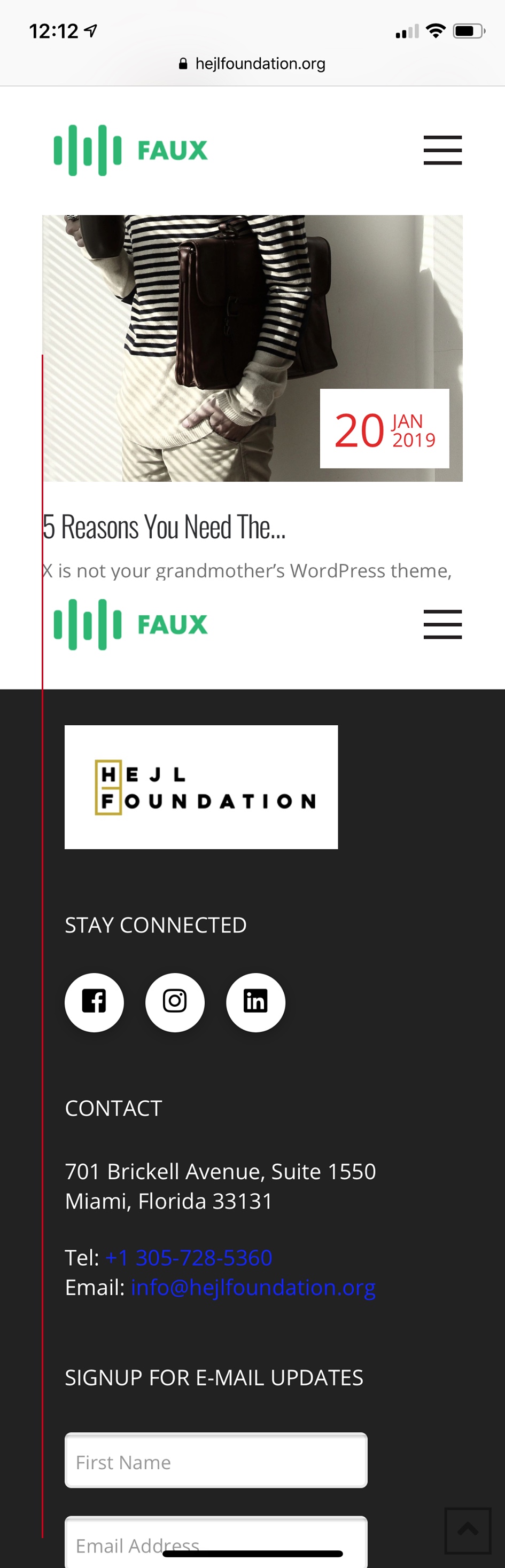
Currently the footer menu options have just a bit too much padding on the left side and need less to align with the red line which the entire is aligned too

Hi Carolina,

Thanks for writing in! Could you please try adding the following CSS rule into your Pro -> Theme Options -> CSS area and see if that helps.

footer .x-bar-content {
    margin-left: 5%;
}

Thanks!

I tried that code but it didnt work :frowning: any other options? it moves the footer but i only need the mobile footer aligned to the rest of the site’s padding
Hi Carolina,

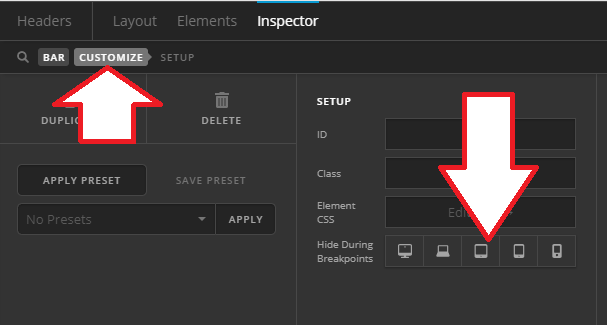
Other footer bar and content has 2em 7vw 1em 7vw padding, please do that on the last footer bar as well. But, if it’s meant for mobile only then you can duplicate that footer bar and apply different padding and display on mobile. You can utilize the HIDE DURING BREAKPOINTS option to hide specific footer bar.

Thanks!

So that has been fixed but i still cant align my footer to the logo in the header

Hello Carolina,

Thanks for updating the thread.

On my end I can see footer is aligned with the logo. Please clear browser cache to make sure changes are getting reflected.

Thanks.

This topic was automatically closed 10 days after the last reply. New replies are no longer allowed.