Hey there,
I’d like to align this text on the left http://prntscr.com/nh5psw
thanks for your help!
Hi @zerotoone.de,
Thank you for reaching out to us. To align the text to the left, please go to Individual Tabs settings, under Text Style > Text Align select left align button (see screenshot)
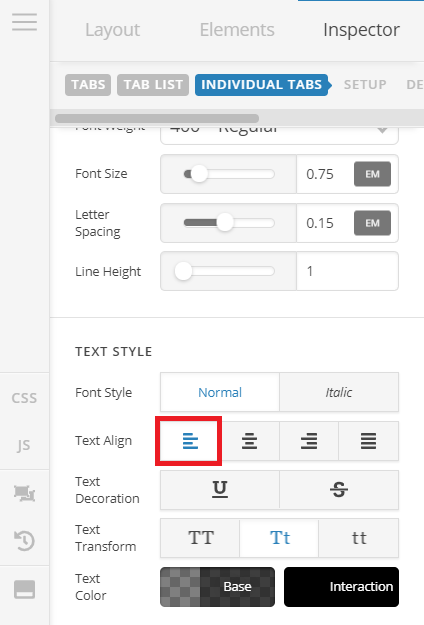
I also checked your setup and I see you’ve custom element CSS added in your Tabs element which is overriding the builder’s settings, please remove your custom CSS to make sure the settings in the builder apply. Please follow https://theme.co/apex/forum/t/column-and-image/57213/10
Let us know how this goes!
This topic was automatically closed 10 days after the last reply. New replies are no longer allowed.