Align logo in header with the content while in "fullwidth" layout

Is there a setting that allows me to make a header always align with the content frame using “Integrity?”
There is some CSS here:


that says it will give a boxed look but where the content itself is in fullwidth mode (so that separators etc take up the whole width of the browser window) but when I put this into my custom CSS and hit publish, nothing seemed to change.

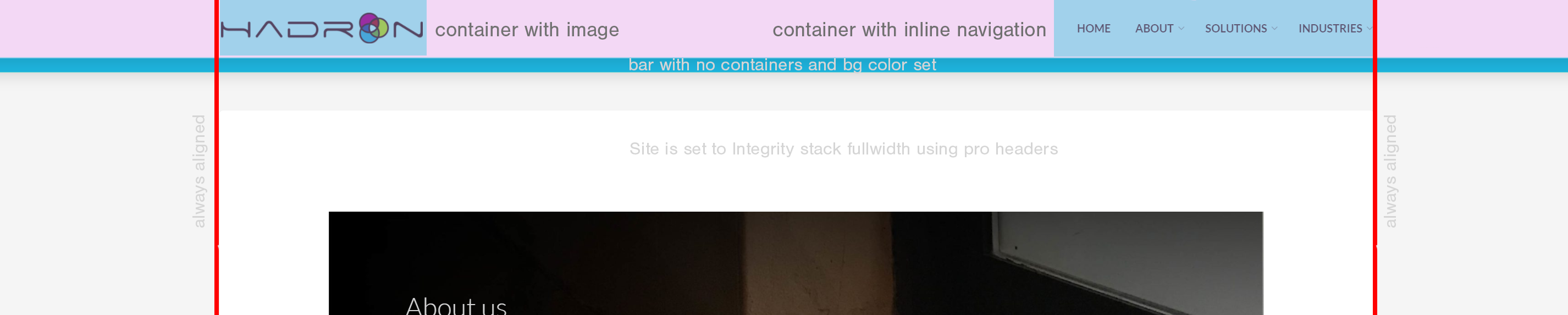
Here’s a screen of my actual site-in-progress:

And what I would like it to look like:

Suggestions?

HI There,

Please provide your URL so we can take a closer look.

Thank you!

Hi there sir! I would love to, but right now it’s on a dev server (you could get to it by putting the server and URL in your hosts file).

I haven’t made any customizations other than what is capable via the Pro interface (that is, no custom CSS other than trying then removing the above, etc). I am running the child theme from Themeco for pro, but have not made any code modifications at this point. No caching turned on, etc.

EDIT: SecureNote is pretty awesome!

Hi There,

Please add the following code to Theme Options CSS

.container, .container-fluid {
    padding-left: 0px;
     padding-right: 0px
}

Hope it helps!

It didn’t but I figured out the setting that did…

I set the “Max content width” to the max site width and set content length to 100% under the “dimensions” section of my menu bar. This looks correct at sizes above 1200px and reasonable at other breakpoints (that is, the logo indents or outdents a little as the screen size shifts but for the moment it’s OK).

Thanks for letting us know.

Glad to hear it is working now.

This topic was automatically closed 10 days after the last reply. New replies are no longer allowed.