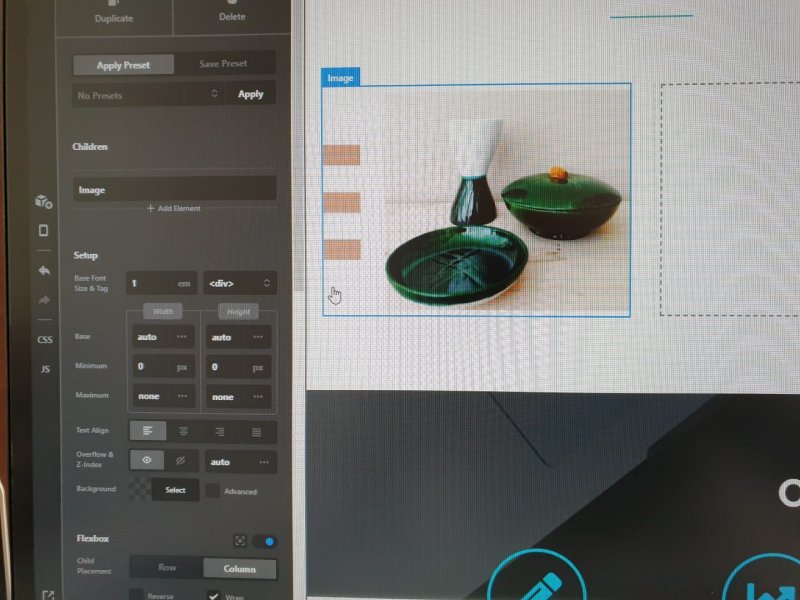
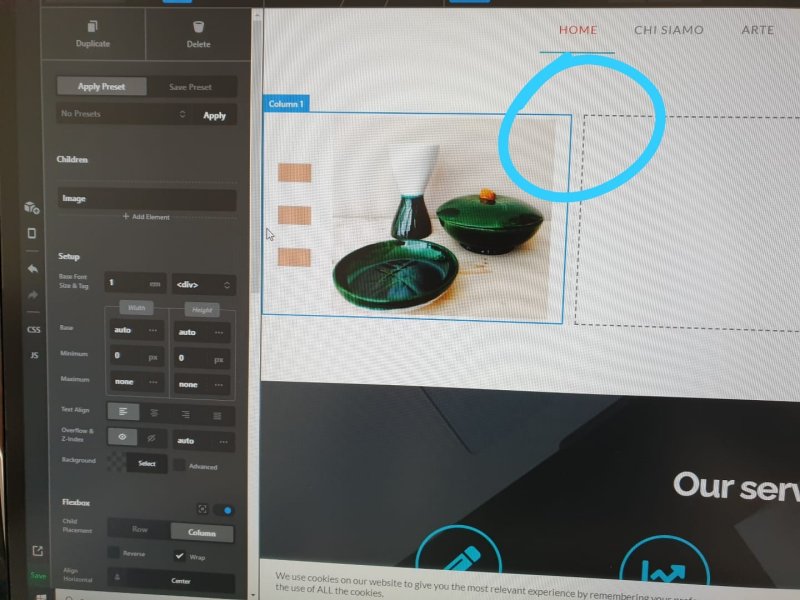
Align images on column

Hi there,
pls, can you help me on this matter?
I have a row with three column. No contain section.
I would insert a image in first and thirth column and a text in the second column.
How can I set left align for first and second column and right align for the last one?
Thats because I would image on the right and left to the border of screen.


Tnx,
Francesco

Hi Francesco,

Thanks for reaching out.
The Column has the option for the Text Alignment and you can use that to align the content or image within the column. Please find the screenshot describing the option.

Hope it helps.
Thanks

Hi, tnx for your prompt reply.
I set it already but there is margin yet.


Moreover the column (i.e. first and second one) are not attached but there is a space that I’m not able to change. Maybe is same problem?

Tnx
Francesco

Hi Francesco,

These two screenshots are contradictory and a little confusing too, sometimes the only screenshot doesn’t help us to recognize the issue you are having. I would request you please provide login credentials for your site in a secure note to examine it further, including:

– WordPress Site URL & Login URL
– Specific Page URL where you are having this issue
– WordPress Admin username/password

To create a secure note, click the key icon underneath any of your posts.

Thanks

ok, tnx.
the web site is: www.cartemstudio.it
login: www.cartemstudio.it/wp-admin
page is in home

Hi Francesco,

The Gap Width is the reason behind the gap between two columns. Please find the screenshot describing the settings.

Hope it helps.
Thanks

Yes @tristup tnx for your kindly support!

Hi @Neetra,

You’re welcome and it’s our pleasure to help you! If you have any other concerns or clarifications regarding our theme features, feel free to open up a new thread.

Thank you.

This topic was automatically closed 10 days after the last reply. New replies are no longer allowed.