Hey there,
I’d like to align my button at the bottom and in the center of my section http://prntscr.com/ncllwz
thanks for your help!
Hi @zerotoone.de,
Please add the my-section class to your first section on the home page:
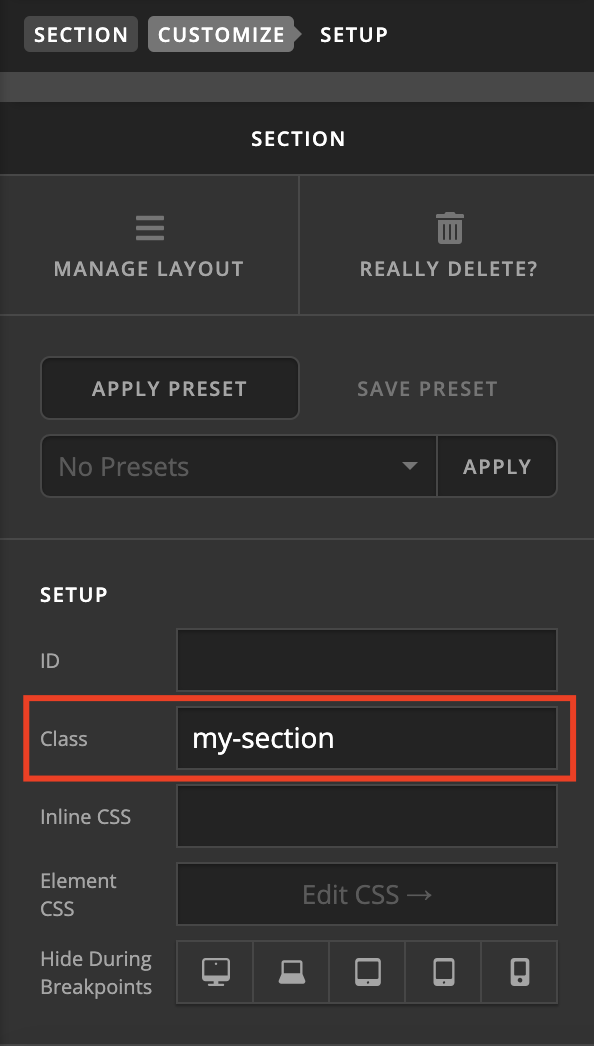
After that add this custom CSS:
.my-section .x-container,
.my-section .x-column {
     height: 100% !important;
}
.my-section .x-anchor.x-anchor-button {
    position: absolute;
    bottom: 20px;
    left: 50%;
    transform: translateX(-50%);
}
Let us know how it goes!
thank you, now the button is very narrow on smaller screens http://prntscr.com/ncn2k2
is there a way to make it a little wider?
Hi @zerotoone.de,
Please also add this custom CSS:
@media (max-width: 768px){
    .my-section .x-anchor.x-anchor-button {
        width: 100%;
        text-align: center;
    }
}
Let us know how it goes!
This topic was automatically closed 10 days after the last reply. New replies are no longer allowed.