Agency template edits

HI,

I am building on the Agency template and have a couple of items that I need help with.

  1. I have switched the layout to use inline navigation instead of stacked. This has left the colored line that normally goes under the nav to instead be lined up in the middle of the navigation text, like a strike-through. How can I move this line down to under the text, or optionally remove it completely?

  2. I found a piece of code in the forums for adjusting the text color in the footer so it will show on my background. But after adding it to the CSS, my hover links are no longer showing the hover color. How can I get my hover color back?

.x-colophon.bottom .x-nav li:after, .x-colophon.bottom .x-nav li a, .x-colophon.bottom .x-colophon-content p, .x-colophon.bottom .x-colophon-content a {
color: #fff !important;
}

Thanks in advance,
Dawn

Hi There,

Thank you for writing in, 1) Please navigate to Theme Options > Header adjust the NAVBAR TOP HEIGHT to 115px (actual height of your header)

Add this to Theme Options > CSS if you want it to be completely removed.

.x-navbar .desktop .x-nav > li > a:hover, .x-navbar .desktop .x-nav > .x-active > a, .x-navbar .desktop .x-nav > .current-menu-item > a {
	box-shadow: none!important;
}
  1. Please remove the !important rule from your code.

More info about !important rule here.

Hope it helps,
Cheers!

That did the trick for both items. One other thing I forgot to ask about… in the footer, the line with the copyright date is above the nav links, as shown below.

© 2018 Engen Contracting Inc.
Site by ISDG | Results Driven Marketing
Home / Expertise / Case Studies / Company / Get in touch / Sub-Contractors

I would like to move the nav links above the other text. Where can I make this happen? I’ve done it before but can find my code to repeat the process…

Thanks,
Dawn

Hello @isdg01,

Thanks for updating the thread. :slight_smile:

You can add following JS code in X > Theme Options > JS to switch the position of navigation links and copyright text:

(function($){
  $('footer.x-colophon.bottom .x-colophon-content').insertAfter( $('footer.x-colophon.bottom ul#menu-primary-menu-2') );
})(jQuery);

If you would like to learn Javascript then please take a look at following resources:

https://www.youtube.com/watch?v=10ujZygJzMQ

Thanks.

Thank you!

You are most welcome. :slight_smile:

This topic was automatically closed 10 days after the last reply. New replies are no longer allowed.

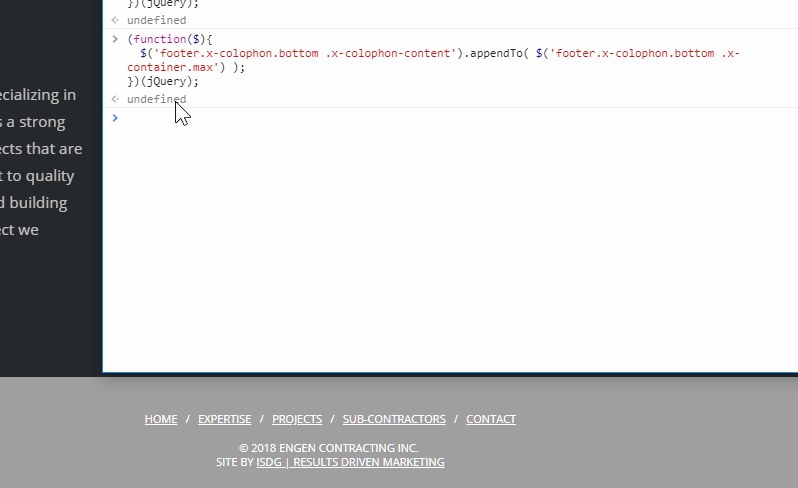
Looks like you’ve changed the menu so the ID in that code no longer applies. For a solid solution, please update the code to this:

(function($){
  $('footer.x-colophon.bottom .x-colophon-content').appendTo( $('footer.x-colophon.bottom .x-container.max') );
})(jQuery);

Hope that helps.

Hello @isdg01,

Have you added or updates new information in this thread since my colleague @christian_y replied? It’s showing up in unresolved ticket list but I am not able to to figure out the information you have added. Can you please confirm by adding a fresh reply on this ticket?

Thanks.