Hey Jeff,
Our themes use Typographic Scaling. Typographic Scaling is one of the aspects of Web Design. Here’s a good article about that: https://medium.com/sketch-app-sources/exploring-responsive-type-scales-cf1da541be54. It is important to understand that in order to understand why there is no font size option for the headings (at-least currently).
We have received requests to add a font size option for each heading level and that might be realized in our planned Theme Options reboot. That is not a guarantee though nor can we give a timeline.
For now, you will need to override our theme’s heading font-size CSS. That is coded like the code below. Copy and paste the code in Theme Options > CSS and modify the percentage values to your desired, Typography Scale.
h1, .h1 {
    font-size: 200%;
}
h2, .h2 {
    font-size: 180%;
}
h3, .h3 {
    font-size: 160%;
}
h4, .h4 {
    font-size: 140%;
}
h5, .h5 {
    font-size: 120%;
}
h6, .h6 {
    font-size: 100%;
}
-----------------------------------------------------------------------------------
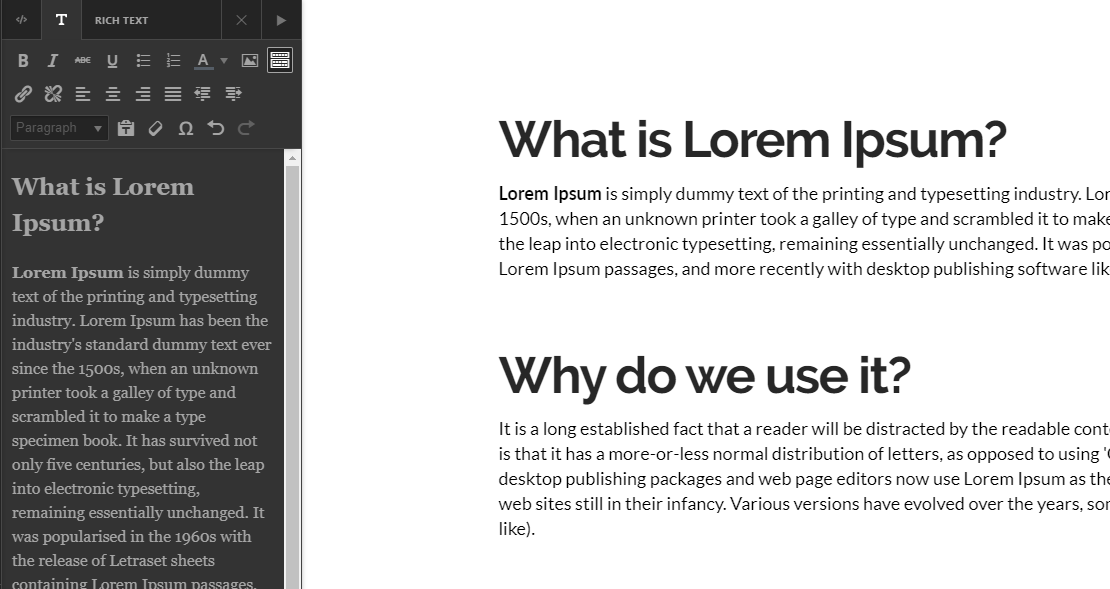
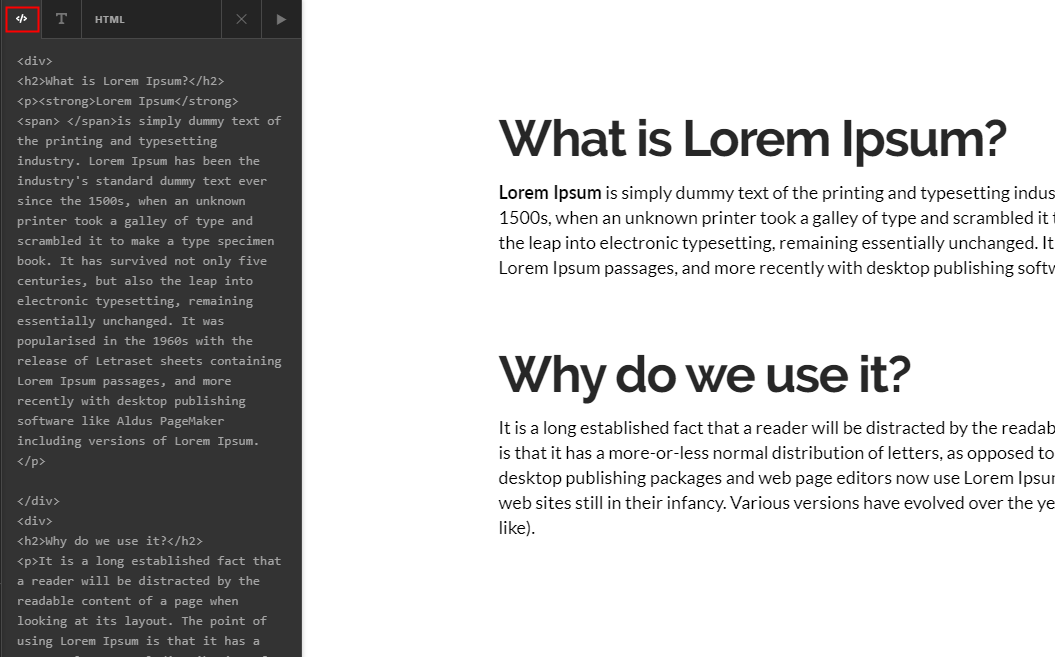
Regarding pasting text in the Text element, if you don’t want source formatting to be included, switch to HTML mode first. You can also use CTRL + SHIFT + V to remove all source formatting when pasting. You can then switch to the Rich Text editor to manually format the text.

If you want to include the source formatting (only copies HTML from web pages and not Word formatting), paste the text in Rich Text mode.
Hope that helps.
