Adjusting Blog Button

Hi - I’m trying to change the blog image that shows up in images 1 and 2 below. On the first one, I’d like to remove the summary below, color, and icon of a article on top of the image. For the second one, I’d like to adjust the color and remove the link icon on top of the image. How can I change these? Please let me know. Thank you! My website is www.YourDreamLifeUnlocked.com if you need this.

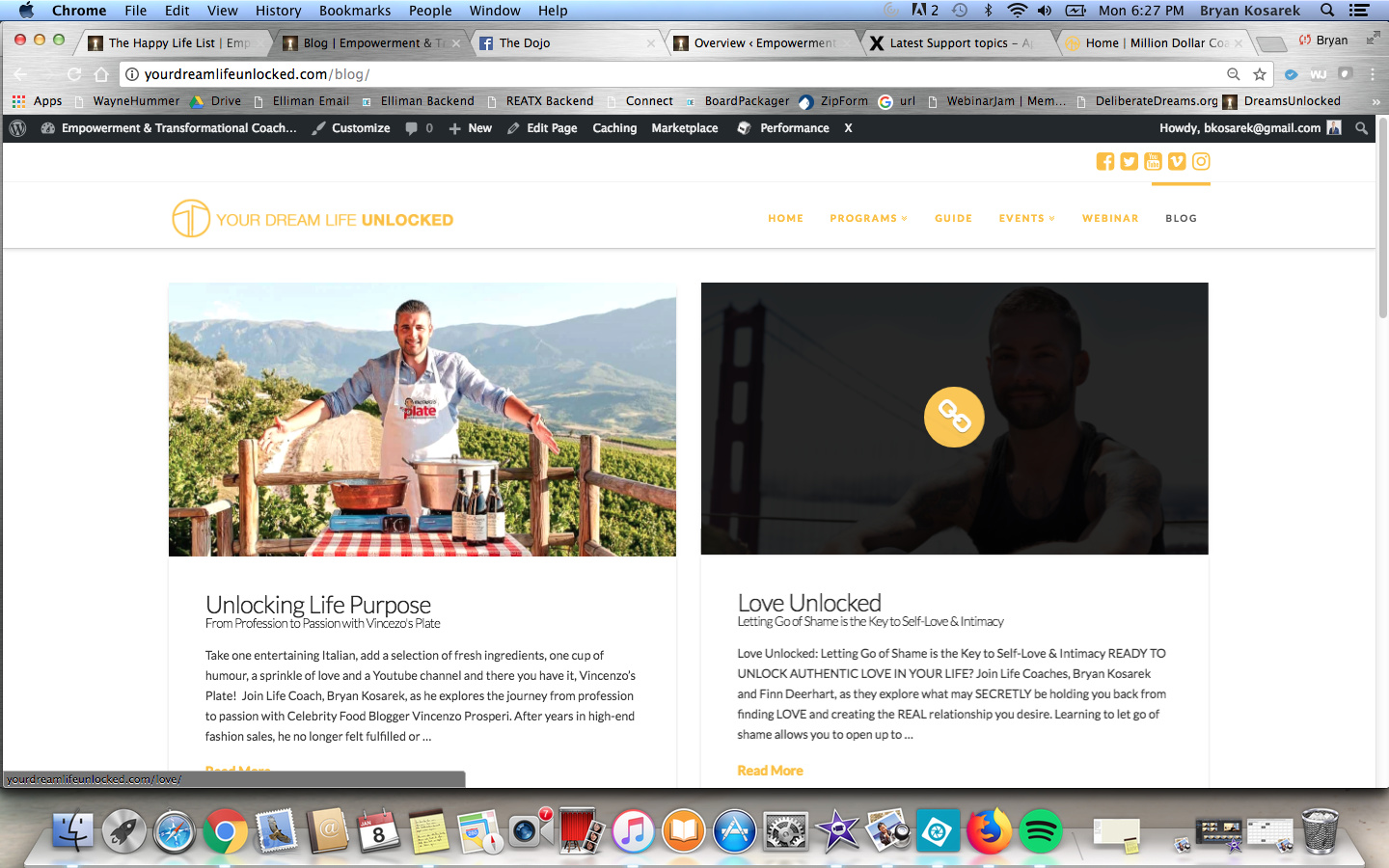
Uploading…

Hi There,

Thank you for writing in, for the recent post on your homepage (1), please add this to Theme Options > CSS

/*recent post element adjustment*/
.x-recent-posts-content .entry-subtitle {display: none;}
.x-recent-posts a:hover .has-post-thumbnail .x-recent-posts-img:before,
.x-recent-posts a:hover .has-post-thumbnail .x-recent-posts-img:after {
	opacity: 0 !important;
}

For the Blog page feature images (2), please add this to Theme Options > CSS as well.

/*blog page feature images adjustments*/
.blog a.entry-thumb:hover:before {
	opacity: 0;
}
.blog a.entry-thumb:hover img {
	opacity: 1;
}

Hope it helps,
Cheers!

This topic was automatically closed 10 days after the last reply. New replies are no longer allowed.