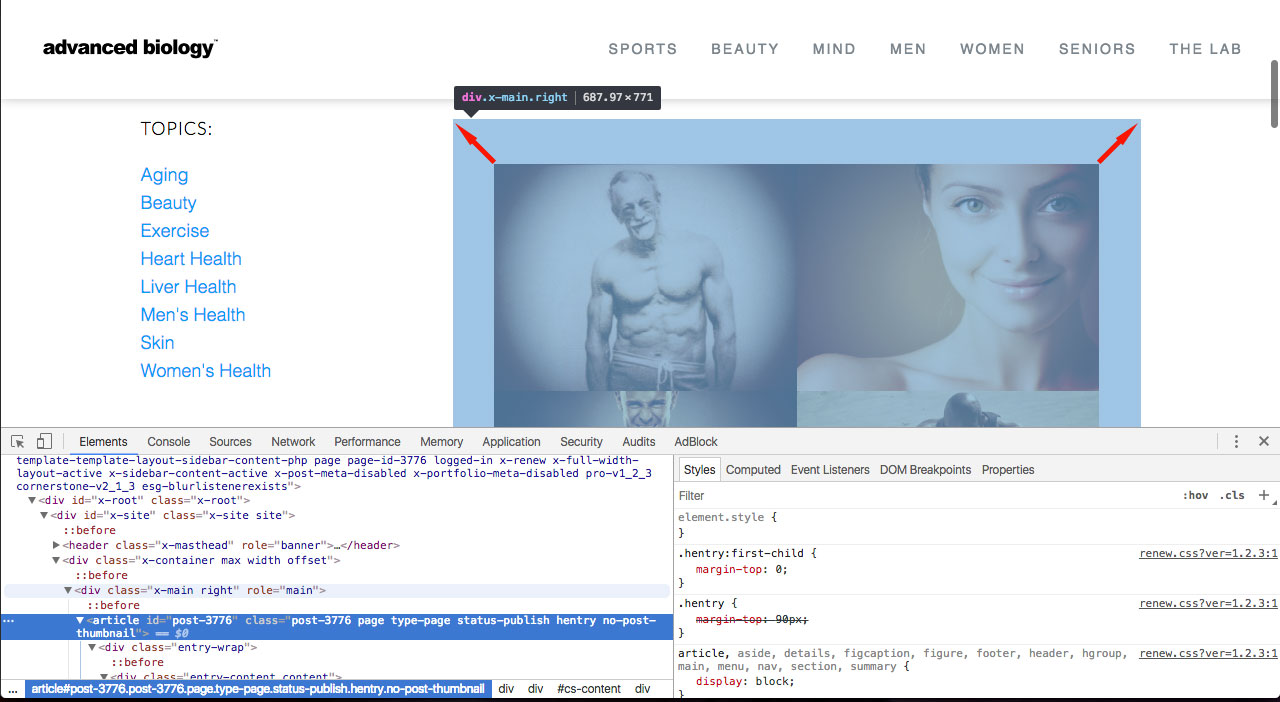
I followed the instructions to create a blog page that is actually an essential grid rather than the normal blog page. You just create a new non-blog page, set it as left column, right content, and in pro drop in an essential grid that you create in the grid builder. That all works awesome, but for some reason I can’t get the section grid content to fill the section and I can’t find where the margins or padding is. I’d be happy to do it via CSS but I can’t seem to find it. Please tell me how to simply make the content fill the area - see the attached image illustrating the problem. As always, thank you for your awesome support and the login info will be in an attached note!