Adding Social Icons to Header

Good morning,

I want to begin by thanking you and your team for all your support. You guys are incredible (and patient with those of us who take a little longer!).

Over the past couple months I have come to love Pro and continue to learn how to use it’s many features. Currently I am working to add social icons to my global header named “Primary Navigation.” I cannot seem to right align them in the space: https://prnt.sc/k3ygw9.

Could you advise me on the best way to do this? I am mimicking the style I set for the icons in the footer.

Thank you,
J
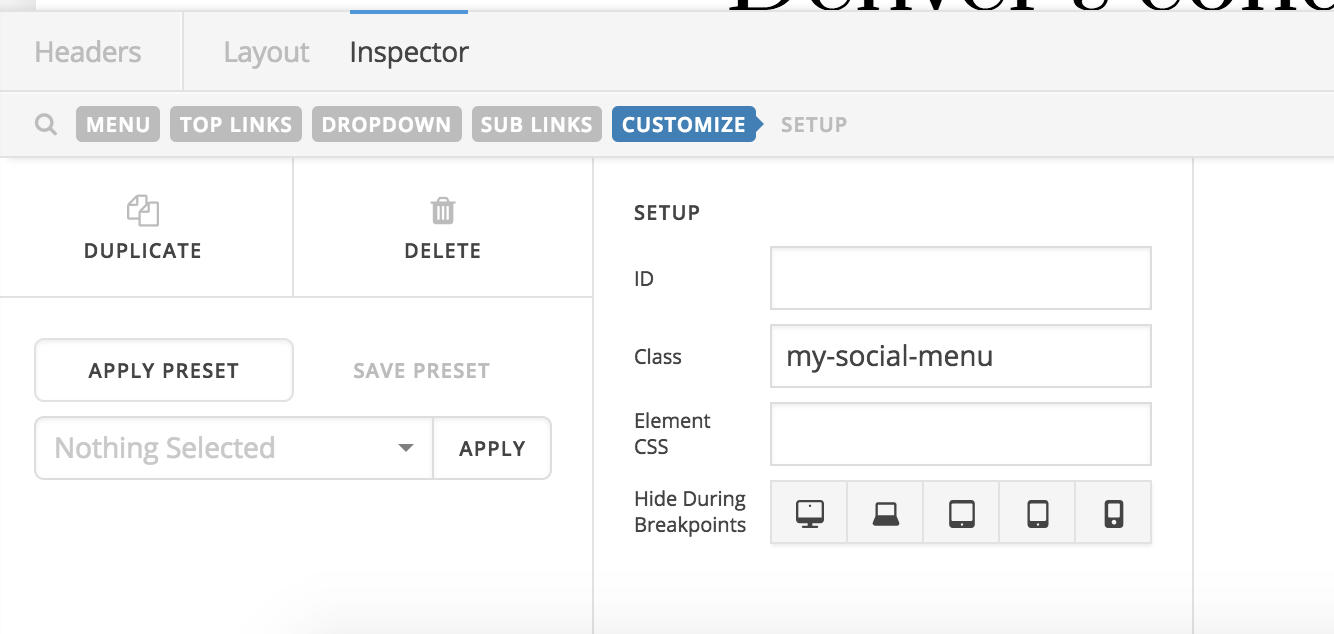
Hi There,

Please add the my-social-menu class to your navigation inline element:

After that add this custom CSS:

@media (min-width: 980px){
  .my-social-menu {
    margin-right: -300px !important;
  }
}

Hope it helps :slight_smile:

Hello,

The code really doesn’t accomplish what is needed. It should look exactly like this on all devices except screens under 768px (for which it will appear elsewhere): https://prnt.sc/k42fin.

The header it is being implemented on is called “Primary Navigation,” but once this is sorted I will add it to all the other headers and implement it on mobile views.

Thank you,
J

Hello There,

Thanks for updating in!

To resolve your issue, the “Self Flex” option of the first two containers should be set to “Fill Space Equally” and the last container will just be set as “Standard”.

Please check your header now.

This topic was automatically closed 10 days after the last reply. New replies are no longer allowed.