Adding shortcode to a button

Hello! Is it possible to add a shortcode to a button?

I want to add this shortcode:

[arm_restrict_content type=“show” plan="{PLAN_ID}"]
{Display Restricted Content}
[armelse]
{Not Display Restricted Content}
[/arm_restrict_content]

to these buttons:
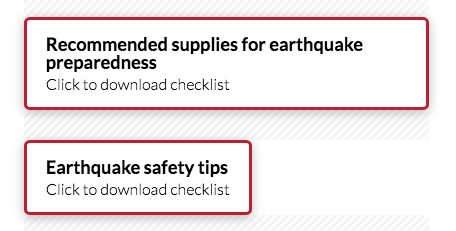
Screen Shot 2020-11-20 at 11.30.23 AM

I can’t figure out how to access the HTML code version of the button so I can wrap the shortcode around it.

THanks for your help!

Hi Nadia,

Thanks for reaching out.

There’s no option to add a shortcode inside the button. I suggest that you will add your shortcode in a Raw Content element and just style it like a button.

Hope that helps.

Thank you.

Ok, thank you!
How do I style it like a button?

Hey Nadia,

You will have to style it with custom CSS manually. Be advised that this will be considered as custom development and it is beyond the scope of our support already. We are unable to provide support for customizations under our Support Policy. If you are unfamiliar with code and resolving potential conflicts, you may select our One or Care service for further assistance.

Thank you for your understanding.

This topic was automatically closed 10 days after the last reply. New replies are no longer allowed.