Adding search bar on the header

Hello,

I was updating the website, and in the process I ended up resetting the theme. I was restoring the website to the previous version, but I’m having trouble adding search bar where it originally was.
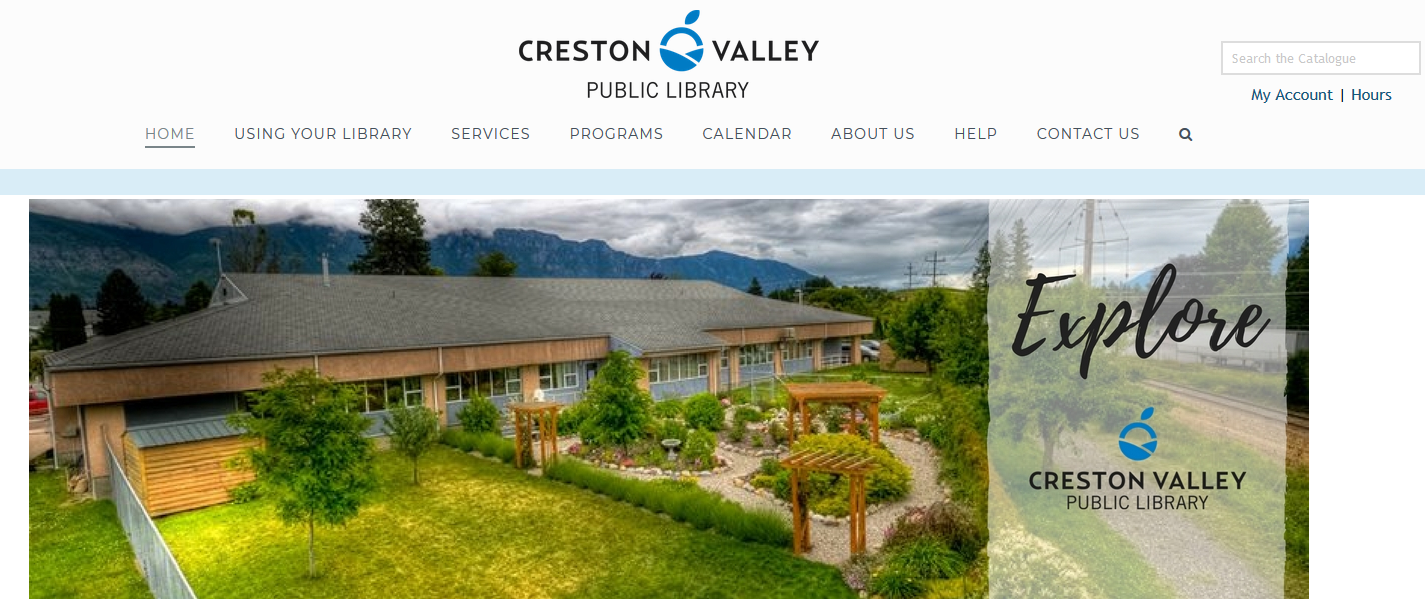
So I’m trying to place the search bar on the right side of the central logo as seen on this image, but I can’t find any option to do so. Is there any way I can restore the search bar?

Thanks,

Hi There @crestonlibrary

Thanks for writing in! By default, only place where you can enable search icon on X theme is, as a menu item.

There’s no feature or option available in X theme to add search, as mentioned on your screenshot. It could be some sort customization that you have added earlier. If you have a child theme on your backup (/wp-content/themes/x-child), try activating it by head over to Appearance -> Themes section and see if that helps.

Or else, it could be a plugin that you have used earlier which you need to locate on your backup.

Thanks!

Hello,

I found the child theme for the search function.

Thanks for your help!

Glad you’ve sorted it out.

Cheers!

This topic was automatically closed 10 days after the last reply. New replies are no longer allowed.