Hey Brock,
Kindly remove the current menu item that you have added and instead of adding a page menu item, add a Custom Link menu item then set the Link Text to: 304-804-6369 then set the URL to tel:304-804-6369.
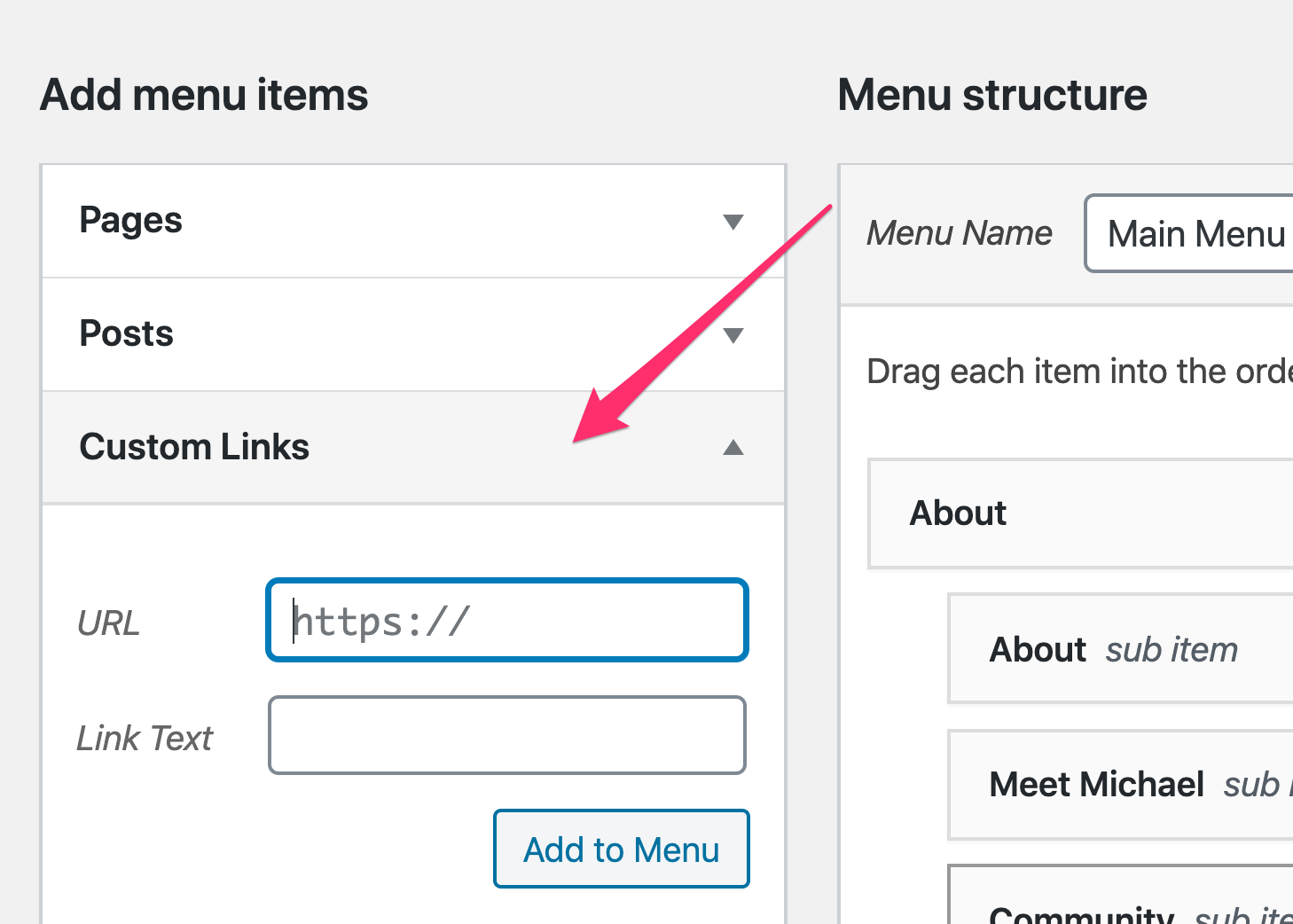
Then to style the menu item to look like a button, set a class to the menu item:
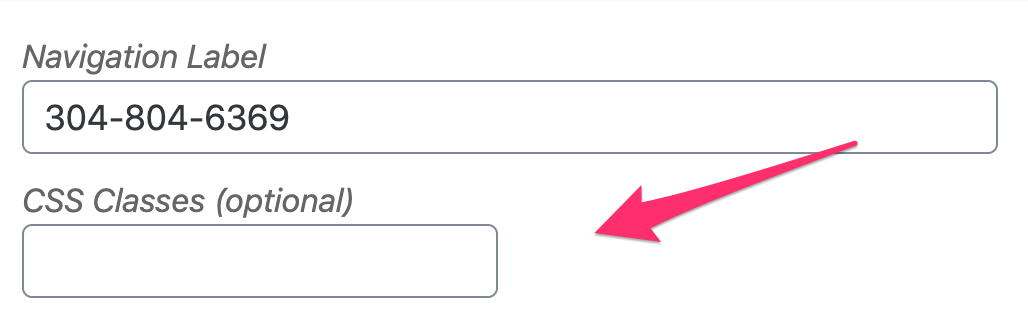
Then go to X > Theme Options > CSS and find this block of code:

.x-navbar .desktop .x-nav>li:last-child a {
    background: #1C62A8;
    padding: 0;
    height: 35px;
    width:  100px;
   margin-top: 38px;
    display:  flex;
    justify-content:  center;
    align-items:  center;
    border-radius: 5px;
    transition: 0.4s linear;
}
and update it to:
.x-navbar .desktop .x-nav>li.tel-btn a {
    background: #1C62A8;
    padding: 0;
    height: 35px;
    width:  100px;
    margin-top: 38px;
    display:  flex;
    justify-content:  center;
    align-items:  center;
    border-radius: 5px;
    text-align: center;
    transition: 0.4s linear;
}
The code above assumes that the class you have added to the telephone menu item is tel-btn.
Hope this helps.
