Adding Ontraport's email collection

Hi there, we have an issue with trying to add an Ontraport code for collecting emails to our client’s website. It always looks weird, no matter what we try. Any clues as to what we could do to make the new code look like the old email field?

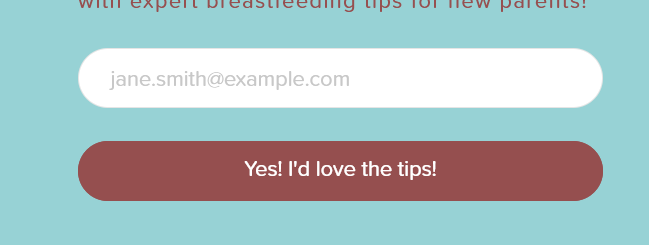
New field (email field too short, square consent button, white background)

Original field (and what we hope to achieve with the Ontraport code)
image

Hi @INcroatia,

Thank you for writing in, but the credentials provided did not work, please check.

Base on the script that you added on the secure note, that form is not editable on the WordPress side. Please contact Ontraport support on how you can style their form.

Which element did you add the form? Please make sure you applied a width 100% to that element so it will not rely on the width of an external element/form. As what you show on the screenshot, it seems the element did not get the right width.

Cheers,

Hi @friech,

We tried with different elements, such as Raw Content, Text and Form Integration. We have also added the 100% width both in the code as well as on elements that allowed for it.

We’re adding new login credentials in case they might help with looking into it a bit more.

Hi @INcroatia,

I have checked your website and found the Email box is working fine and does not show like the screenshot given. Can you please check once by clearing all types of cache and in incognito/private mode of the browser and let us know if the issue still exists or not.

Virtual-Lactation-Consultant-IBCLCs-Near-Me-Doulas-Birth-Postpartum-Virtual-and-In-person-Pregnancy-to-Postpartum-Care-Online-Classes-Boober

Thanks

This topic was automatically closed 10 days after the last reply. New replies are no longer allowed.